
Donation kiosks your organization owns outright.
Donatefy donation kiosks are self-service giving stations: a 22-inch touchscreen, an integrated tap and chip card reader, and software that turns a tap into a receipted, recorded gift. Donatefy makes two digital donation kiosks, the FS-22 floor-standing at $1,000 and the WM-22 wall-mounted at $700, and every gift lands in one ledger with your online giving.
Donatefy donation kiosks and handheld readers
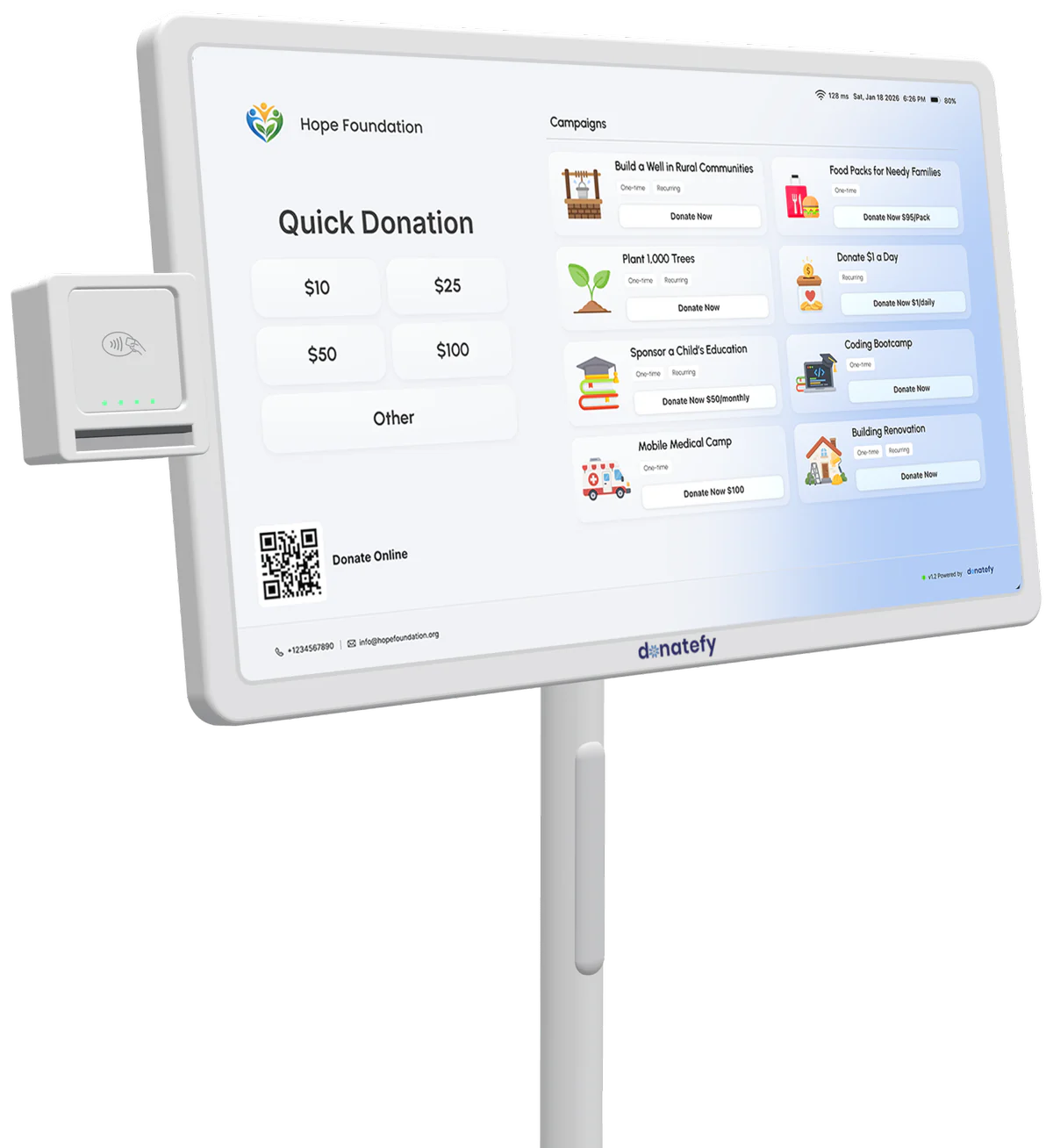
Floor-standing kiosk
A 22-inch kiosk on a rolling base, with battery backup for up to 8 hours. $1,000 one-time.
- Rolling base
- Up to 8-hour battery
- Tap and chip
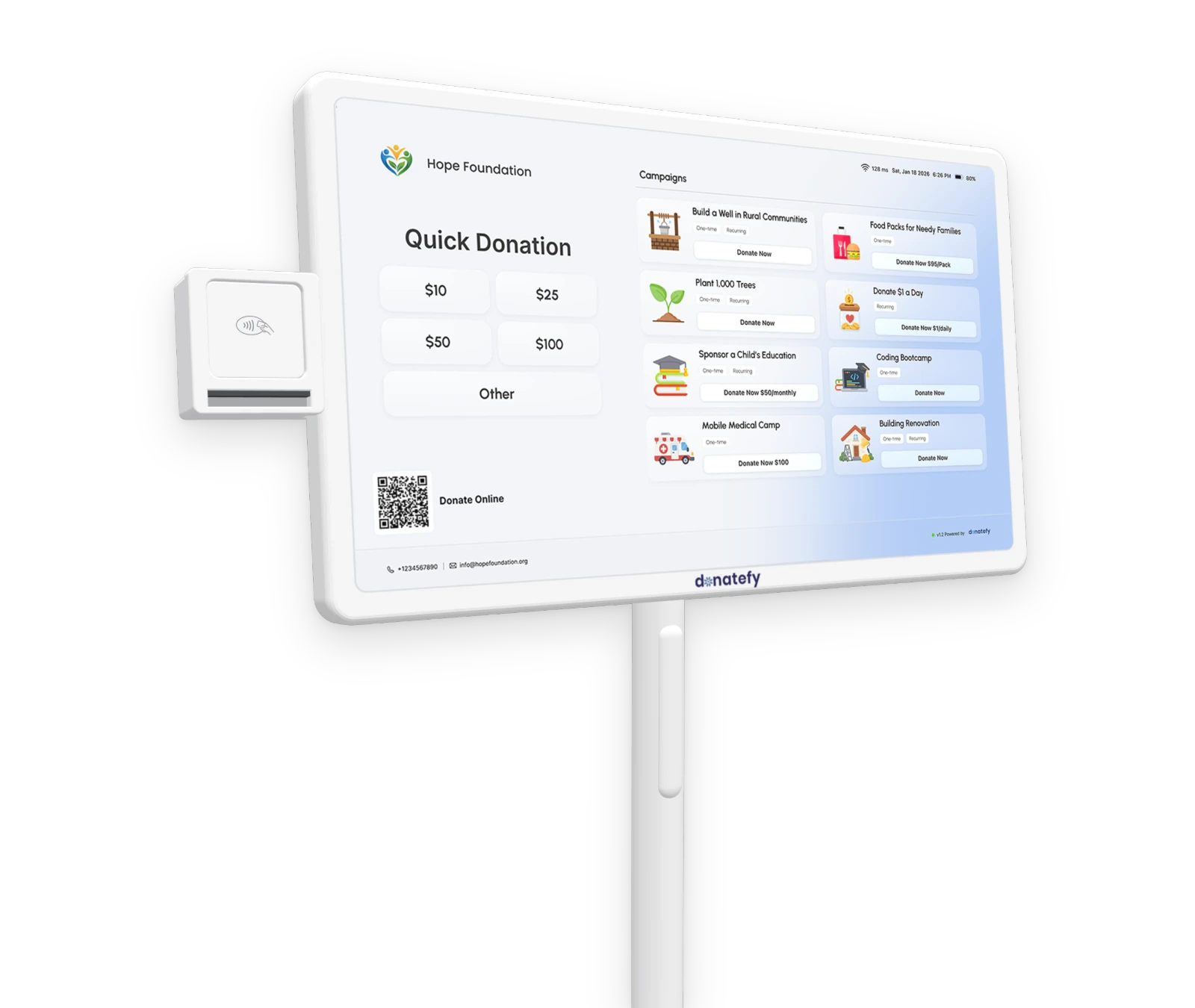
Wall-mounted kiosk
A 22-inch kiosk fixed to the wall: a permanent giving point that uses no floor space. $700 one-time.
- Wall-mounted
- No floor space
- Tap and chip
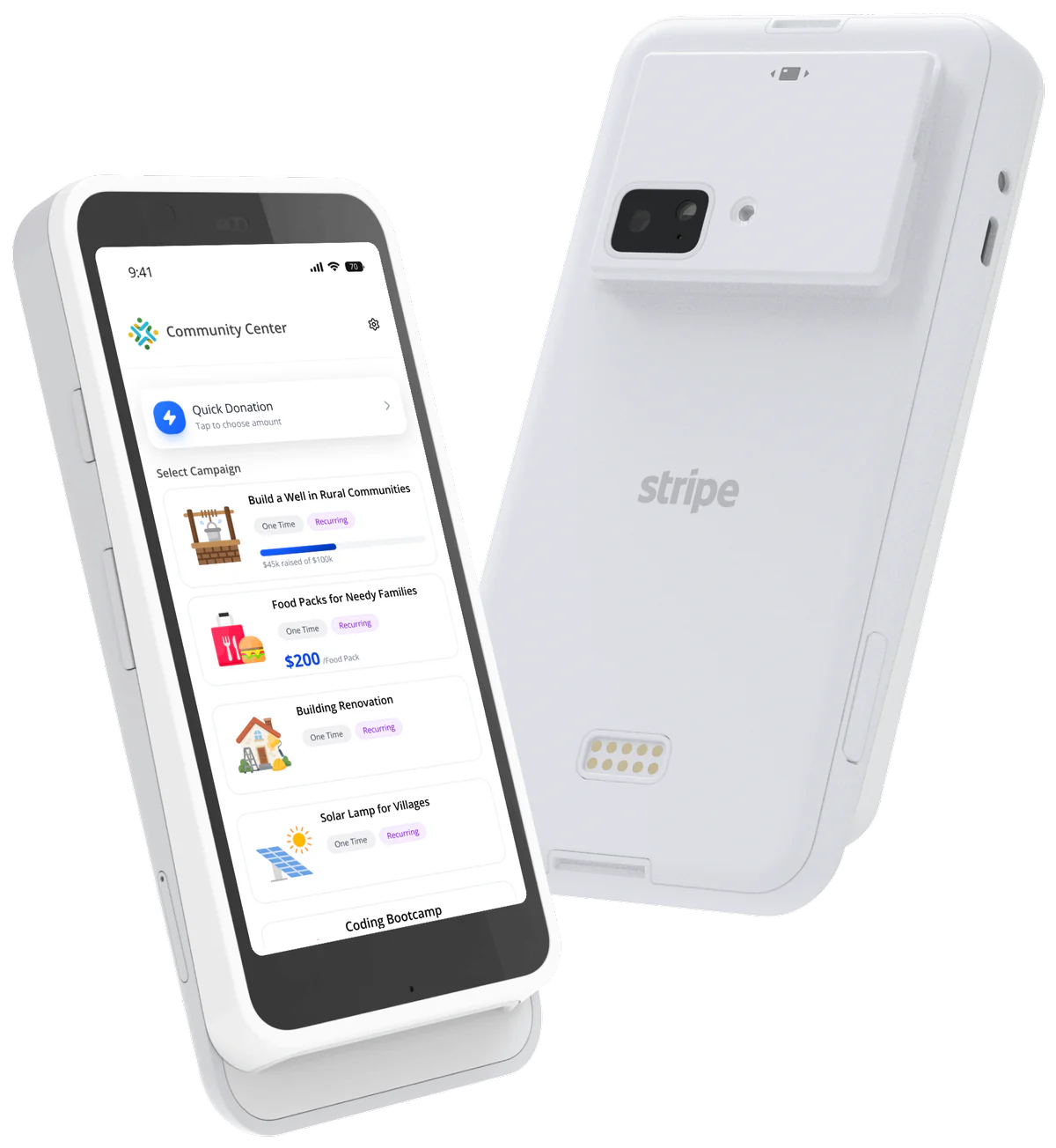
Stripe Reader S700 and Stripe Reader S710
The Stripe Reader S700 and Stripe Reader S710 are handheld readers made by Stripe, provisioned by Donatefy. $349 provisioned.
- Hand to hand
- 4G LTE on the S710
- Tap, chip, swipe
Donation kiosks built to run on their own
A self-service donation kiosk lets anyone who walks through your doors give by card or phone, whenever the building is open, with nobody standing beside it. Unlike a cash box, it does not depend on who happens to carry bills.
What separates a kiosk from a tablet on a stand is what happens when nobody is watching. A Donatefy kiosk is built for unattended public use: it powers on into the giving screen, recovers on its own if something goes wrong, and keeps its settings behind a staff PIN.
- 22-inch touchscreen with campaign cards and Quick Donation amounts
- Integrated tap and chip reader for credit cards, debit cards, and digital wallets
- One-time and recurring gifts, each with an automatic branded receipt
How giving works on a Donatefy kiosk
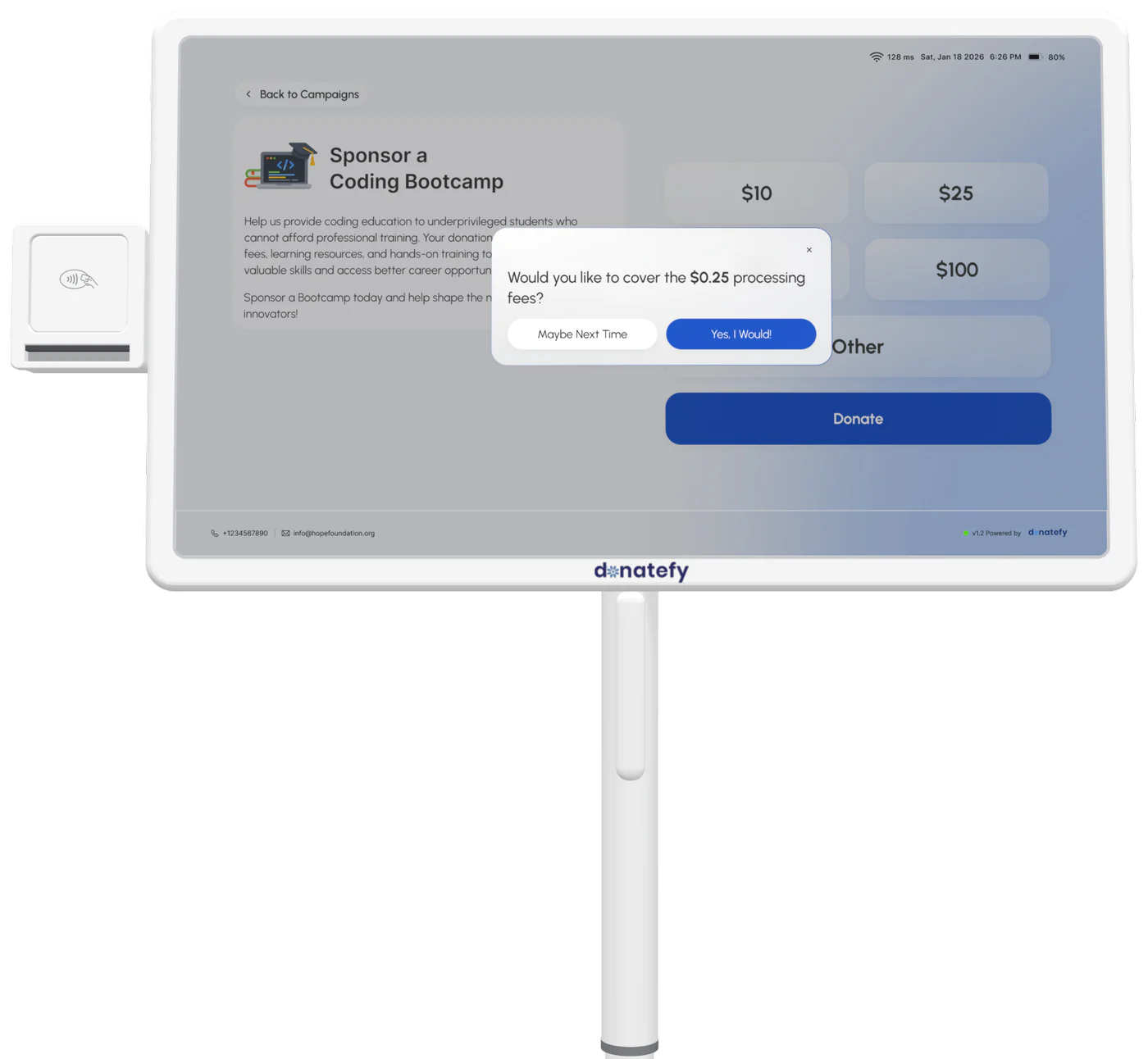
Four steps at the screen. The donor needs no account and no app, and nobody on staff has to step in.
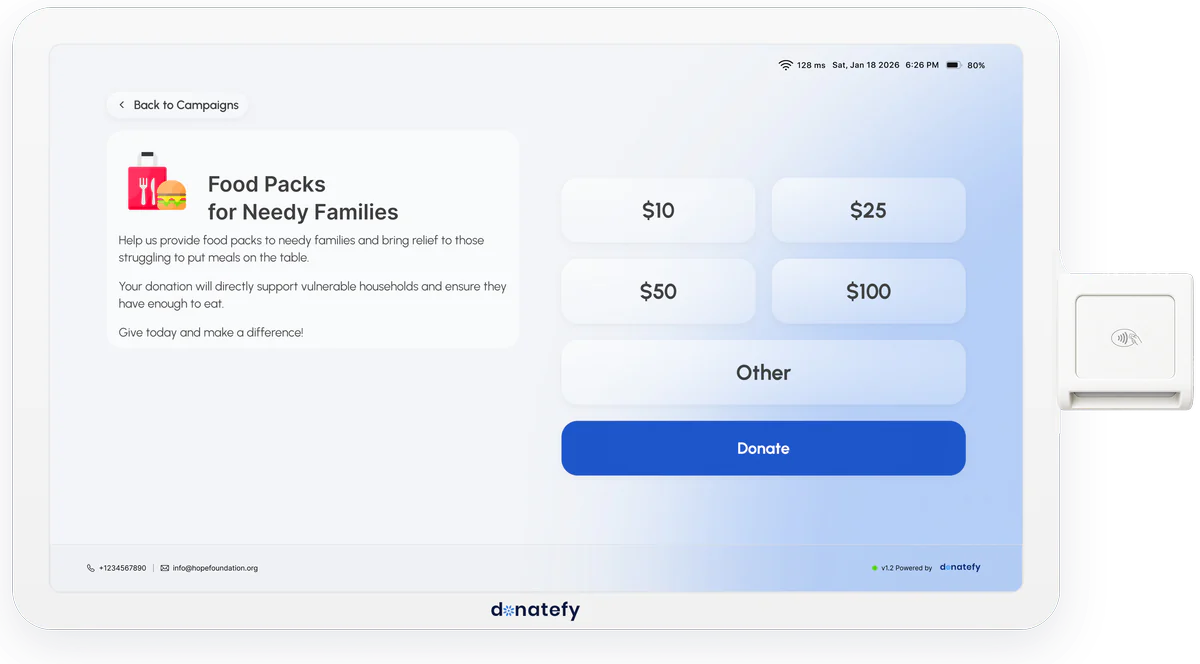
1. Choose a cause
The donor taps a campaign card or a Quick Donation amount. Campaigns can use fixed, donor-chosen, or unit-based amounts, such as meals or trees.
2. Choose how to give
One-time or recurring, with the frequency and duration the donor picks. They can also choose to cover the processing and platform fees.
3. Pay at the reader
Credit cards, debit cards, and digital wallets such as Apple Pay and Google Pay all work on the integrated reader: donors tap a card or phone, or insert a chip card.
4. Receipt and record
The donor scans a QR code on the confirmation screen for an emailed receipt, or gives anonymously and walks away. The gift lands in your ledger, tagged with its campaign and kiosk.
See the giving flow before you buy the hardware: recorded from the FS-22 beside the Admin Portal. Amounts shown are examples.
Which donation kiosk fits your space?
Pick by where giving happens. Both kiosk formats share the identical donor experience, and the handheld goes wherever people gather. Your organization owns every device, with a 45-day money-back pilot and Donatefy's one-year warranty on every device we sell.
Weighing phones as well as hardware? Our in-person fundraising page compares kiosks, handheld readers, and the Mobile App side by side.
| Detail | Floor-standing kiosk $1,000 one-time | Wall-mounted kiosk $700 one-time | Handheld reader $349 provisioned |
|---|---|---|---|
| Format | |||
| Best placement | Lobbies, halls, high-traffic spaces | Entrances, hallways, fixed giving points | Tables, banquets, events, outreach |
| Screen | 22-inch touchscreen | 22-inch touchscreen | 5.5-inch HD touchscreen |
| Positioning | Flexible, battery-backed | Permanent, space-efficient | Mobile, hand to hand |
| Connection | Your building's Wi-Fi | Your building's Wi-Fi | Wi-Fi, and the S710 adds 4G LTE |
| Giving | |||
| Card + contactless | Tap and chip | Tap and chip | Tap, chip, swipe |
| One-time + recurring | Both | Both | Both |
| Purchase | |||
| Hardware you buy | The kiosk | The kiosk | The reader, made by Stripe |
| Details | FS-22 floor-standing | WM-22 wall-mounted | Stripe Reader S700/S710 |
Donation kiosk software and payments
The kiosk is the part donors touch. The software behind it decides which campaigns appear, where the money goes, and whether each gift reaches your books without retyping.
 Admin Portal

Campaign management
Choose which campaigns and Quick Donation amounts each kiosk shows, and change them from a desk without touching the device.

Device visibility
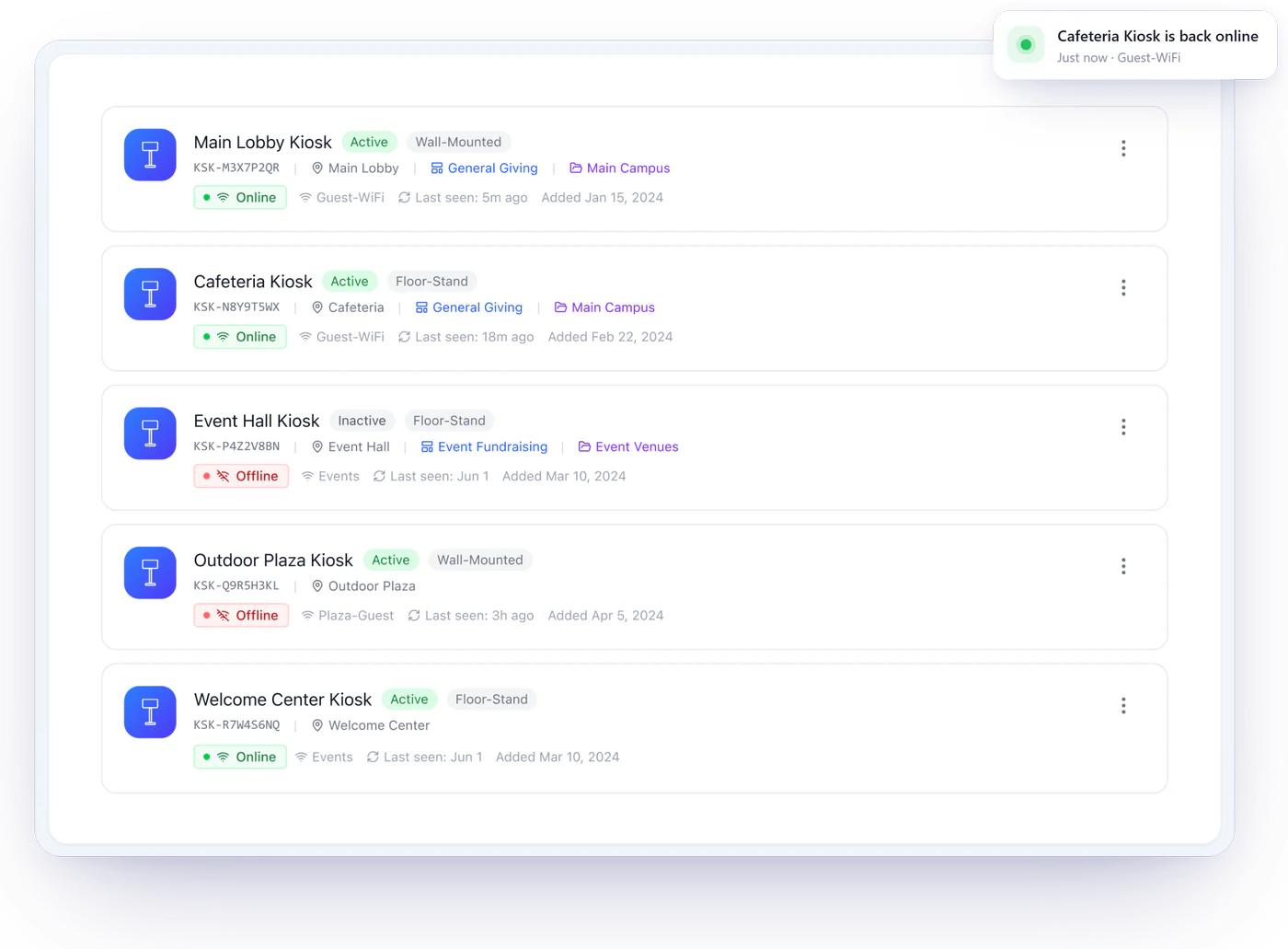
Status, reader connection, and recent activity for every device. On Growth and Enterprise, the fleet dashboard adds health, battery, and totals per device.

Remote support
Setup assistance and troubleshooting from the Donatefy team.

One ledger
Device gifts land beside online gifts, tagged with their channel and device. Cash and checks enter the same ledger.

Automatic receipts
Branded, tax-ready receipts with your logo and EIN for in-person donors, same as online.

Connected donor records
In-person gifts join each donor's history, totals, and recurring plans.
Gifts settle into your own Stripe account
Stripe processes every kiosk gift, and the money settles into your organization's own Stripe account, not a pooled account waiting on someone else's payout schedule. Processing is charged at the rates Stripe publishes and shows as its own line, separate from the Donatefy platform fee, which is one flat rate per plan on every channel.
At the screen, donors can choose to cover the processing and platform fees, so your organization keeps 100% of the gift. On Donatefy, 72% of donors choose to cover the fees (Donatefy platform data; coverage is always the donor's choice, and results vary by organization).
Kiosk gifts sync to QuickBooks Online, Blackbaud, Bloomerang, Salesforce, Kindful, or Mailchimp through integration add-ons on any paid plan, with each campaign's coding attached.
Where donation kiosks work
A kiosk raises money where people pass and pause: on the way out of a service, at the end of a visit, or while they wait. Choose the FS-22 floor-standing kiosk where it should be seen across a room, and the WM-22 wall-mounted kiosk where floor space is tight.
Churches
The foyer, on the path from the sanctuary to the parking lot, where people linger after the service. Tithes, missions, and the building fund each run as their own campaign. More on the church giving kiosk.
Mosques and masjids
The lobby or shoe area, upstream of the exit rather than beside it, so worshippers pass it on the way out after Jumu'ah. Zakat, sadaqah, and the building fund stay separate. More on the mosque donation kiosk.
Museums, zoos, and attractions
The entrance, the exhibit exit, and the gift-shop queue, right after the visit has made the case. More on museum donation kiosks.
Food banks and human services
The lobby or warehouse entrance, for visiting supporters, community partners, and tour groups. See food bank fundraising.
Charities, schools, and community centers
Reception desks, front offices, and waiting areas, where people stop with a minute to spare. See charity and school fundraising.
Galas and event nights
An FS-22 rolled into the hall and set near the exits, on battery for up to 8 hours, carrying the evening's appeal. Back in the lobby the next morning.
Donatefy kiosk prices
Published, one-time prices for hardware your organization owns, with a 45-day money-back pilot and Donatefy's one-year warranty on every device we sell.
Devices activate on Starter at $49 a month, which includes one device, or Growth at $149 a month, which includes up to five; Enterprise includes unlimited devices. Kiosks and handheld readers share that allowance. Bought a reader from Stripe? Activation on Donatefy is $49.
Prepaying Growth annually? Ask about the Launch Kit, which bundles a wall-mounted kiosk with your first year.
Plans and device add-ons are listed with the rest of the donation kiosk prices. Budgeting for a board? Read the full cost of owning a donation kiosk, from processing to upkeep.
What you get with Donatefy as your kiosk provider
A kiosk is a decision you live with for years, so the company behind it matters as much as the screen. This comes with every Donatefy kiosk.
Hardware you own
- A one-time purchase, never rented back to you
- Prices published before any sales call
- A 45-day money-back pilot
- Donatefy's one-year warranty on every device we sell
Money and records that stay yours
- Every gift settles into your own Stripe account
- Processing and platform fees appear as line items you can audit
- Recurring plans live in your Stripe account and survive your exit
- Donor and donation records you can export if you ever leave
Support and security
- Remote setup assistance and troubleshooting from the Donatefy team
- Card details captured by Stripe, and full card numbers never stored on Donatefy servers
- Month-to-month self-serve plans with no setup fees
Comparing providers? Read how to choose a donation kiosk, with the questions to ask any vendor, and see how donations are processed and protected.
From order to first gift
Most of the setup happens in the Admin Portal, not on the device, and the Donatefy team helps at each step.
- Plan the placement. Talk to the hardware team about where the kiosk goes, which format fits the room, and which campaigns it should carry.
- Build your campaigns. Set titles, imagery, and Quick Donation amounts in the Admin Portal, and brand your receipts with your logo, EIN, and tax language.
- Connect and assign. Join the kiosk to your building's Wi-Fi, assign its campaigns, and confirm it shows as online in the Admin Portal.
- Go live and adjust. Make a small test gift, check that it lands in the ledger tagged to the kiosk, then change campaigns from a desk whenever you need.
Guided setup is optional on every self-serve plan, and Growth includes priority support with guided onboarding. Implementation options are priced on the pricing page.
When a kiosk is not the right first step
A kiosk earns its place where people already pass and pause, and it does not make the ask for you. If that does not describe your building yet, start lighter and add hardware later.
Few people walk in
If most giving happens online or at a few events a year, a fixed kiosk will sit idle. Start with online giving on the Free plan: campaign pages, QR codes, and recurring giving at $0.
Giving happens on the move
Volunteers at tables, banquets, or drives need a device that goes hand to hand. A Stripe Reader S700 or S710, or the Mobile App with Tap to Pay on iPhone and Tap to Pay on Android, fits better.
No reliable Wi-Fi where people give
Kiosks connect over your building's Wi-Fi. For an outdoor drive or an off-site event, the Stripe Reader S710 adds 4G LTE, with cellular billed by Stripe, separately from Donatefy.
The budget is not there yet
Kiosks activate on Starter and above, while Free covers online giving at $0. Hit a limit on Free? Take a 30-day Growth trial, no card required.
Weighing a kiosk against a donation box? Read is a donation kiosk worth it before you decide.
Donation kiosk questions
Comparing formats? Read the donation kiosk buyer's guide and our post on donation kiosk costs and best practices.
What is a giving kiosk?
Do we own the hardware?
How much do Donatefy kiosks cost?
Which device should we start with?
Do devices use the campaigns we already run online?
Do donation kiosks need Wi-Fi?
What happens when a device needs help?
What happens to the kiosk if our subscription lapses?
Own your hardware. Own your rails.
Your kiosk is yours, and donations settle into your organization's own Stripe account. No rented hardware that leaves with a contract, and no pooled funds waiting on someone else's payout schedule.