
Donation tracking for the whole program, from one screen.
Every channel, every device, every donation. Reviewed, refunded, receipted, and reported without stitching systems together.
The Monday-morning answer, ready before the question
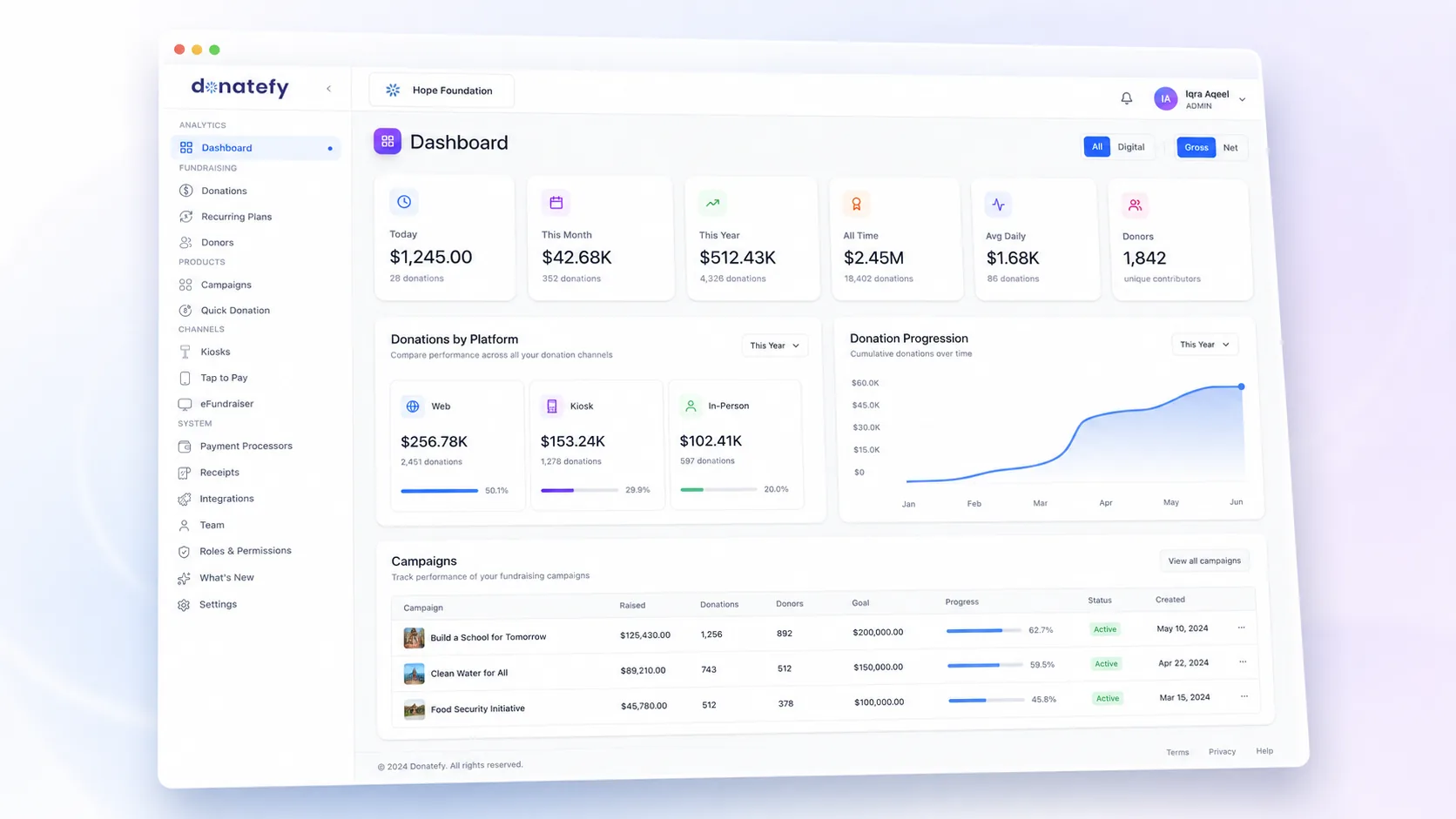
Donation tracking software records every gift and where it came from. In the Donatefy Admin Portal, every donation from every channel lands in one ledger. The dashboard covers total raised, donation trends, gifts by type and by channel, campaign performance, recurring activity, and refunds, with date and campaign filters and a gross-versus-net toggle. When the board asks how giving went this month and through what, that is one glance, not one afternoon.
- Donations by channel: web, kiosk, and in-person side by side
- Trends over time, daily breakdowns, progression views
- Campaign list with performance at a glance
- Filters by date, campaign, and source, with financial reports you can export
Every gift, with its whole story attached
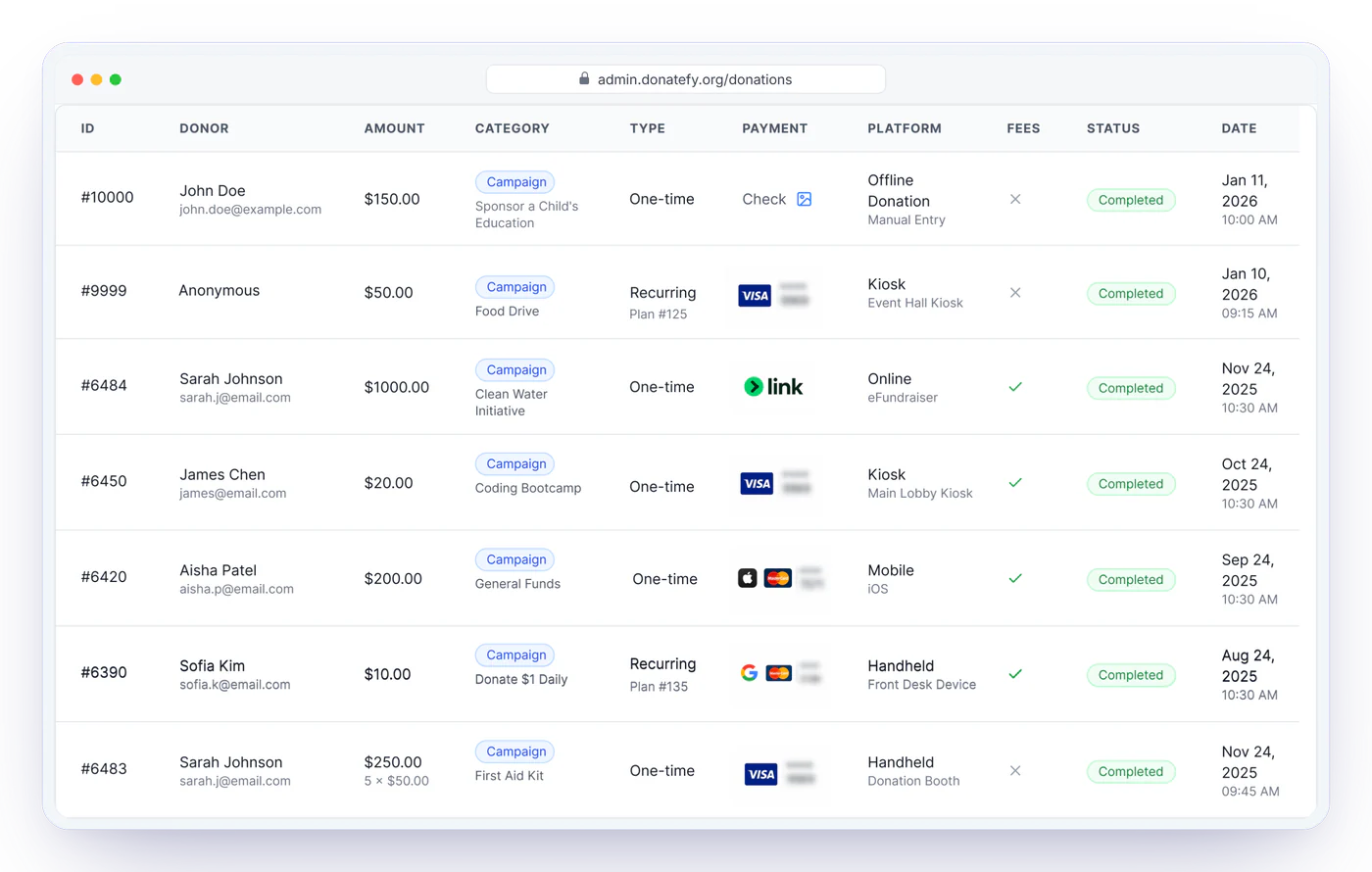
The donations ledger records a donation ID, donor, campaign, amount, date, channel, device, one-time or recurring status, transaction status, processor fee, fee coverage, refund status, and payment details for every gift. Filter by status, channel, or type; search by donor; and enter cash and checks from the back office so offline giving joins the same record.
- Offline cash and check entry, first-class
- Full and partial refunds issued in-app by authorized users
- Refund history and processor fees at the transaction level
Everything else the office runs on
Teams & permissions
Invite team members and match access to responsibility: administrators, finance users, campaign managers, and limited-access staff each see what their role requires.
Device visibility
Kiosks and readers with status, reader connection, recent activity, campaign assignment, and totals by device.
Receipt controls
Branded receipt customization with live preview, plus one-time and recurring receipt settings. Details
Recurring plans
Organization-wide visibility of active plans, upcoming charges, and changes donors make in their portal.
Mailing list & engagement
Donor communication built on connected records: announcements, thank-yous, follow-ups, and appeals reaching the right supporters.
Integrations
Donations sync to accounting and donor systems with per-donation status you can check. Scope per tool
Reporting is easier when the money never detours.
Donations settle directly into your organization's own Stripe account, with platform fees visible as line items. Your ledger and your bank statement tell the same story.
Donation tracking and Admin Portal questions
Closing the books? Read closing the month when donations come from six channels.