
Church donation kiosks and online giving, from the foyer to the pew.
A church giving kiosk lets members give tithes and offerings with a card or phone tap in the foyer. Donatefy connects it to online giving, bulletin QR codes, and monthly plans, so every gift lands in one ledger with a receipt, whether you lead a small congregation or a church with several services.
 One system
The giving that walks out the door
Fewer people carry cash, Sunday giving lives in a cash box and a spreadsheet, and the monthly tithe is an online-only afterthought. The generosity is there; the capture points are not.
In the building
A 22-inch giving kiosk in the foyer accepts cards and phone wallets whenever the building is open, for tithes, offerings, or the campaigns you choose.
At home
A branded giving site with your funds and campaigns, Apple Pay and Google Pay at checkout, and QR codes that link the printed bulletin straight to the gift.
At gatherings
QR codes on screen during a pledge Sunday appeal, the Mobile App in the fellowship hall, and handheld readers at fundraising dinners. Compare every option in in-person fundraising.
What a church giving kiosk does
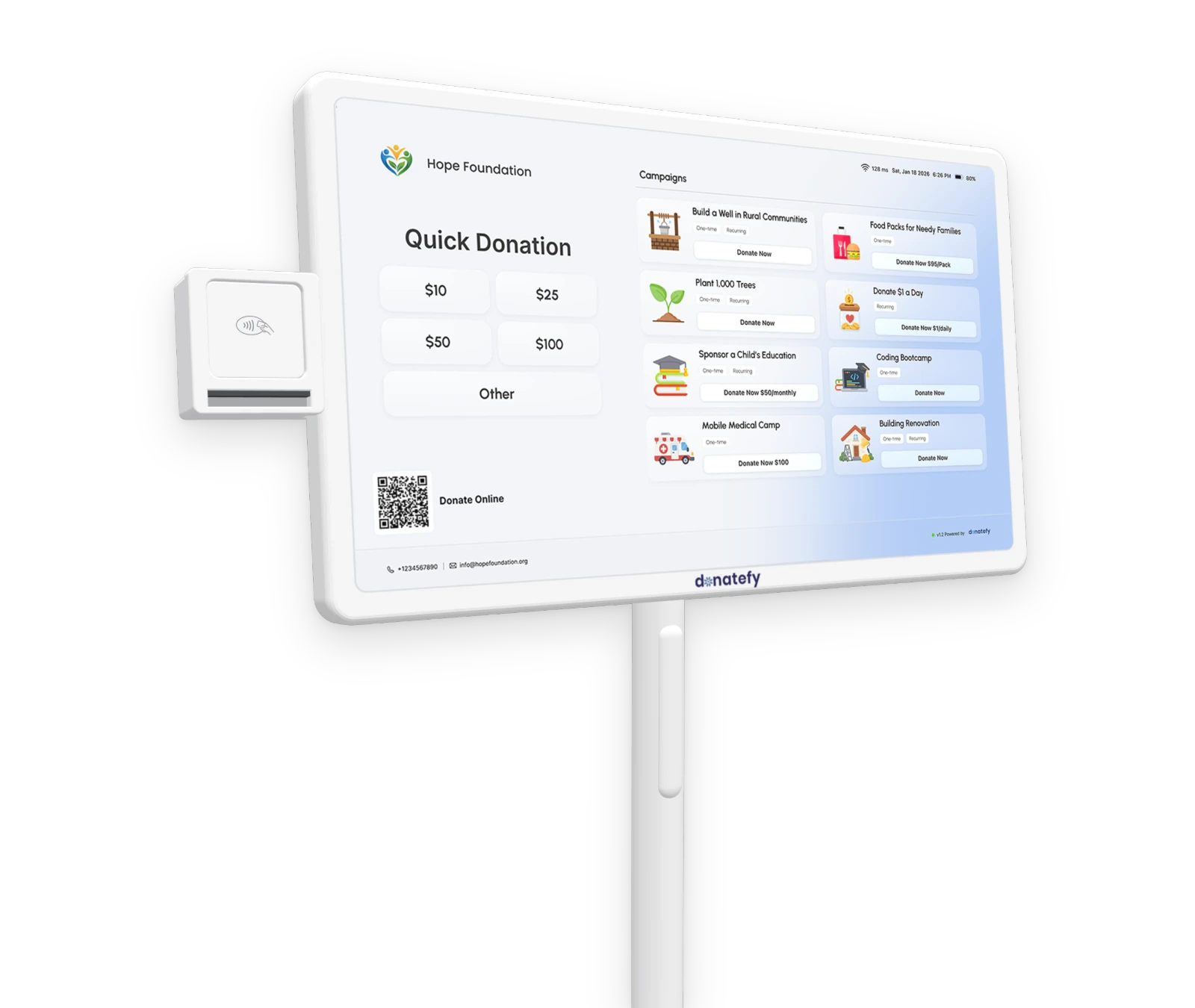
A church giving kiosk is a self-service touchscreen with a built-in tap and chip card reader. A member picks a fund, chooses an amount, and taps a card or phone. The gift lands in your ledger, coded to its fund. Donatefy offers two formats of donation kiosk, the FS-22 floor-standing kiosk and the WM-22 wall-mounted kiosk, both with a 22-inch screen, and your church owns the one it buys.
- Tithes, offerings, missions, and the building fund as separate campaign cards
- Quick Donation amounts, or any amount the giver enters
- Credit cards, debit cards, and digital wallets
- Anonymous by default, with a QR code for a receipt
Keep the plate for cash and checks; the kiosk catches the gifts that no longer fit in it. Read donation kiosk vs the offering plate for how the two work side by side.
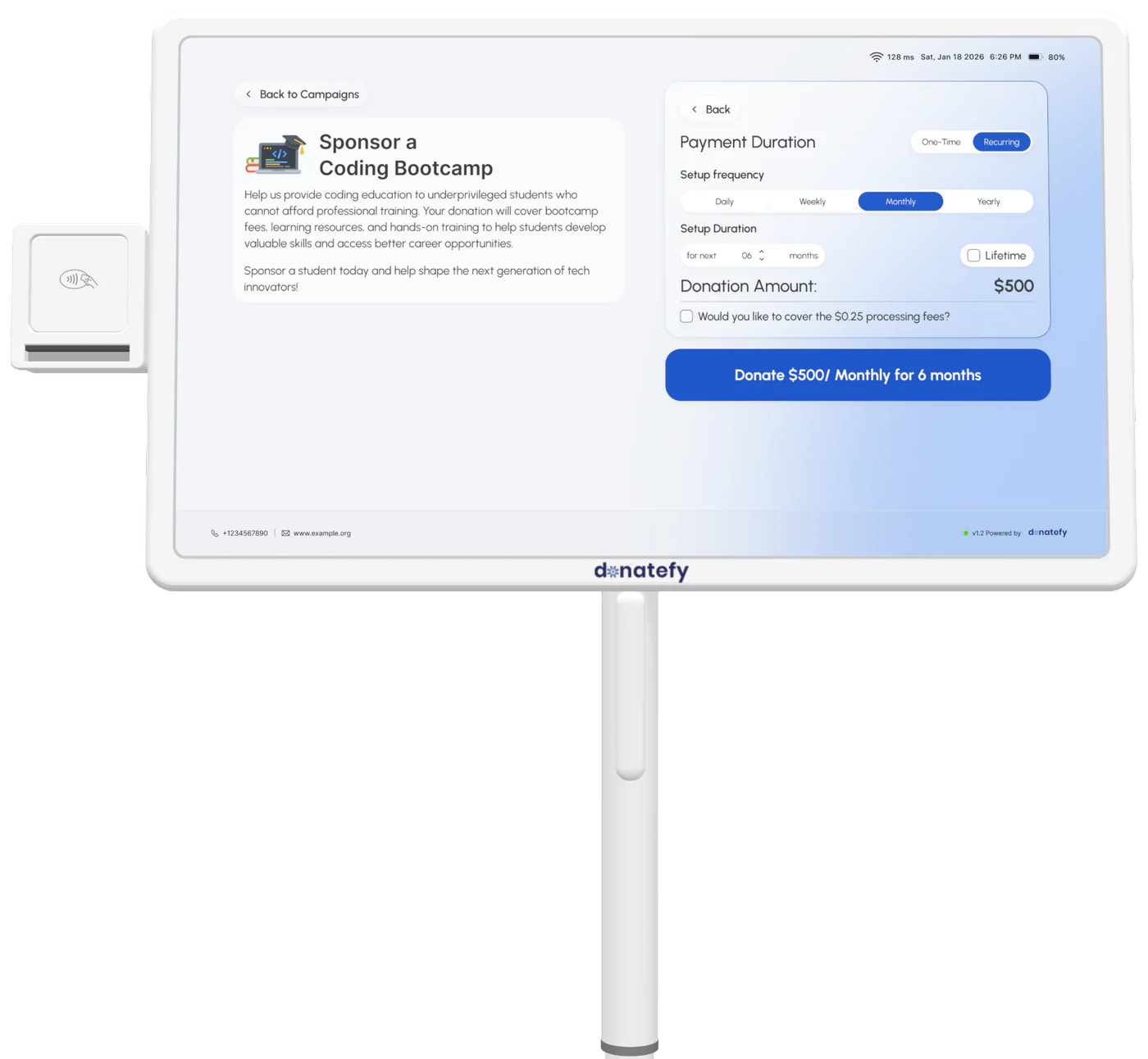
A Sunday giver becomes a monthly giver, at the kiosk
Recurring signup with a card tap, in person. A member moved by the moment can set up a monthly tithe before leaving the building, choosing the frequency and how long it runs, and manage that plan themselves later in the Donor Portal.
- Recurring plans started at the kiosk, online, or in the field
- Members manage their own plans, no office calls
- Predictable support your budget can lean on
Where to put a giving kiosk in your church
Put the kiosk where people already pause, on the route they actually walk, and never where it interrupts worship. Angle the screen away from seating and the main lane so givers feel unobserved.
The foyer or narthex
On the path from the sanctuary doors to the parking lot, ideally near where people linger for coffee. A floor-standing FS-22 is easy to spot across an open room.
An entrance or hallway wall
Where the entry is narrow, the WM-22 mounts to the wall and uses no floor space, so it never crowds the doors on a full Sunday.
The fellowship hall on event nights
The FS-22 rolls on its base to wherever people gather, with battery backup for up to 8 hours, and can carry that evening's campaign before switching back.
Before you pick a spot, run the placement test in our guide to kiosk placement in worship spaces.
Church giving for small churches with no staff
A volunteer treasurer can run Donatefy. Start with online giving, add a kiosk when the congregation is ready, and let members look after their own giving.
Start free online
The Free plan is $0 a month with no card required: a branded giving site, campaign pages, QR codes, recurring giving, and receipts, with a 1.0% platform fee. Self-serve setup is designed to get you to a first campaign the same day.
Add giving in the building
Starter at $49 a month activates one device you own, such as a WM-22 bought for $700, and adds the Mobile App on two phones with Tap to Pay on iPhone and Tap to Pay on Android.
Members help themselves
Givers manage their own plans and download their own receipts in the Donor Portal, and paid plans add year-end statements, so January is not a month of phone calls.
Hit a limit on Free? Take a 30-day Growth trial, no card required. Compare every plan on the pricing page.
The board's three questions, answered by design.
Where is the money?
In your own Stripe account, on your payout schedule. Never pooled, never held by us.
What did it cost?
Fees are visible line items, and donors can opt to cover them so the full gift reaches the mission.
Are we locked in?
You own your hardware and your payment account. No contract traps holding your giving hostage.
Receipts, records, and reconciliation, handled
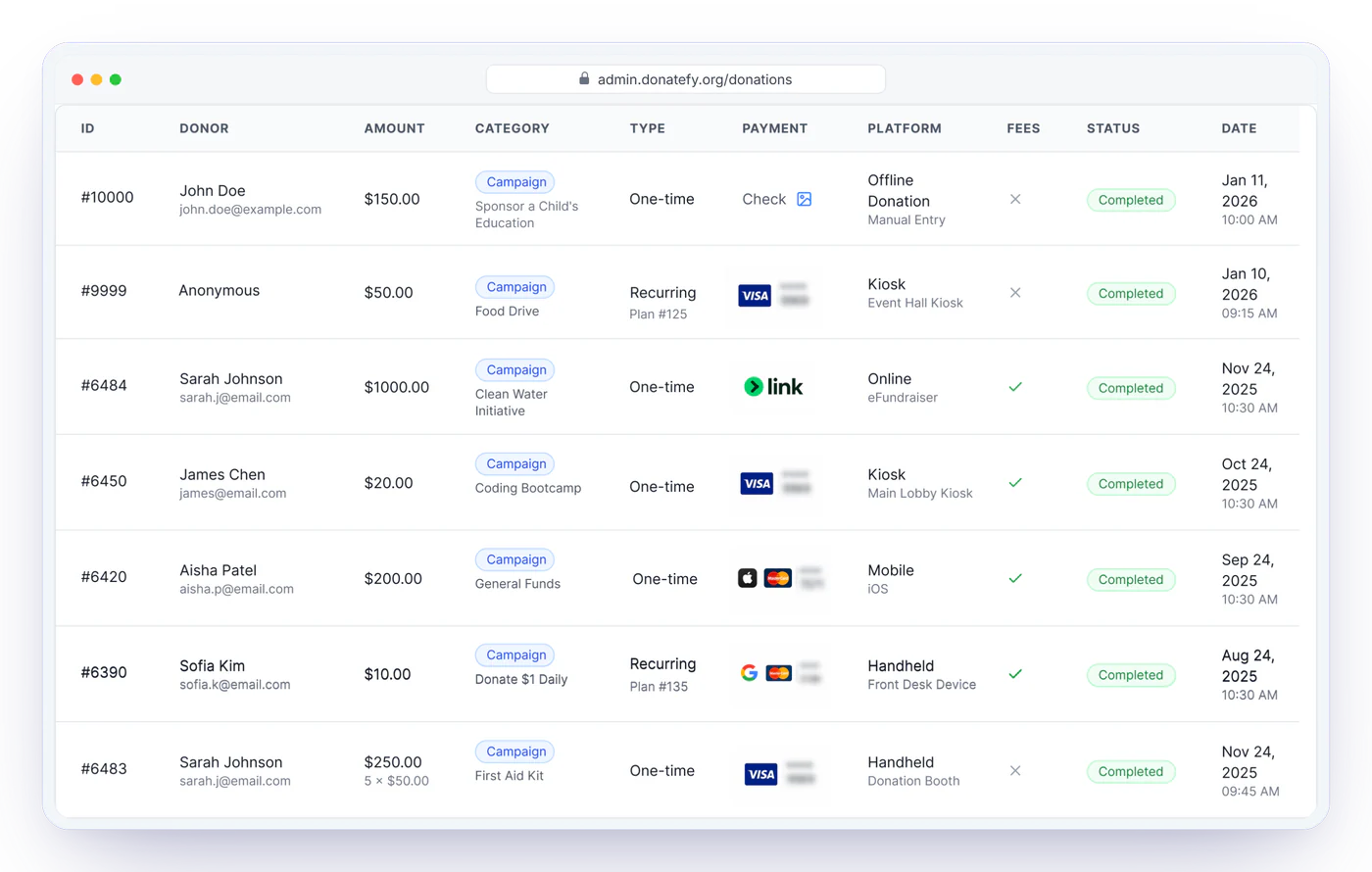
Each fund, such as tithes, offerings, missions, or the building fund, runs as its own campaign with its own accounting coding. Every gift receipts itself with your letterhead, EIN, and tax language. Cash and checks from the plate enter the same ledger. Donations post to QuickBooks pre-coded per fund, and members find their own year-end summaries in the Donor Portal instead of calling the office in January.
Giving kiosks and church management software
Integrations are add-ons on any paid plan: QuickBooks Online, Blackbaud, Bloomerang, Salesforce, Kindful, and Mailchimp. If your church management software is not on that list, export your donor and donation records from the Admin Portal and bring them in.
Donatefy by the numbers
Church giving kiosk questions
Planning the move to cashless? Read cashless giving for congregations and how to choose a donation kiosk, or browse church fundraising ideas and digital giving for churches.