
School fundraising software for giving days, game nights, and the front office.
Donatefy is school fundraising software for K-12 schools, PTOs, booster clubs, and school foundations: one campaign runs online, on a kiosk in the front office, on card readers at games, and on volunteers' phones, with every gift in one ledger.
 One ledger
What school fundraising software should do
School fundraising software collects gifts online and in person, tracks them by campaign, receipts them automatically, and reports to the office and the board. Public, private, independent, and faith-based schools raise money in several places at once, from a fall email appeal to the stands at a Friday game. Four checks to run on any platform:
- A campaign for every fund, from the annual fund to athletics, with no cap on how many
- Card gifts at games and events that land in the same ledger as online gifts
- Monthly giving that families start and manage on their own
- Receipts and records the business office can reconcile without retyping
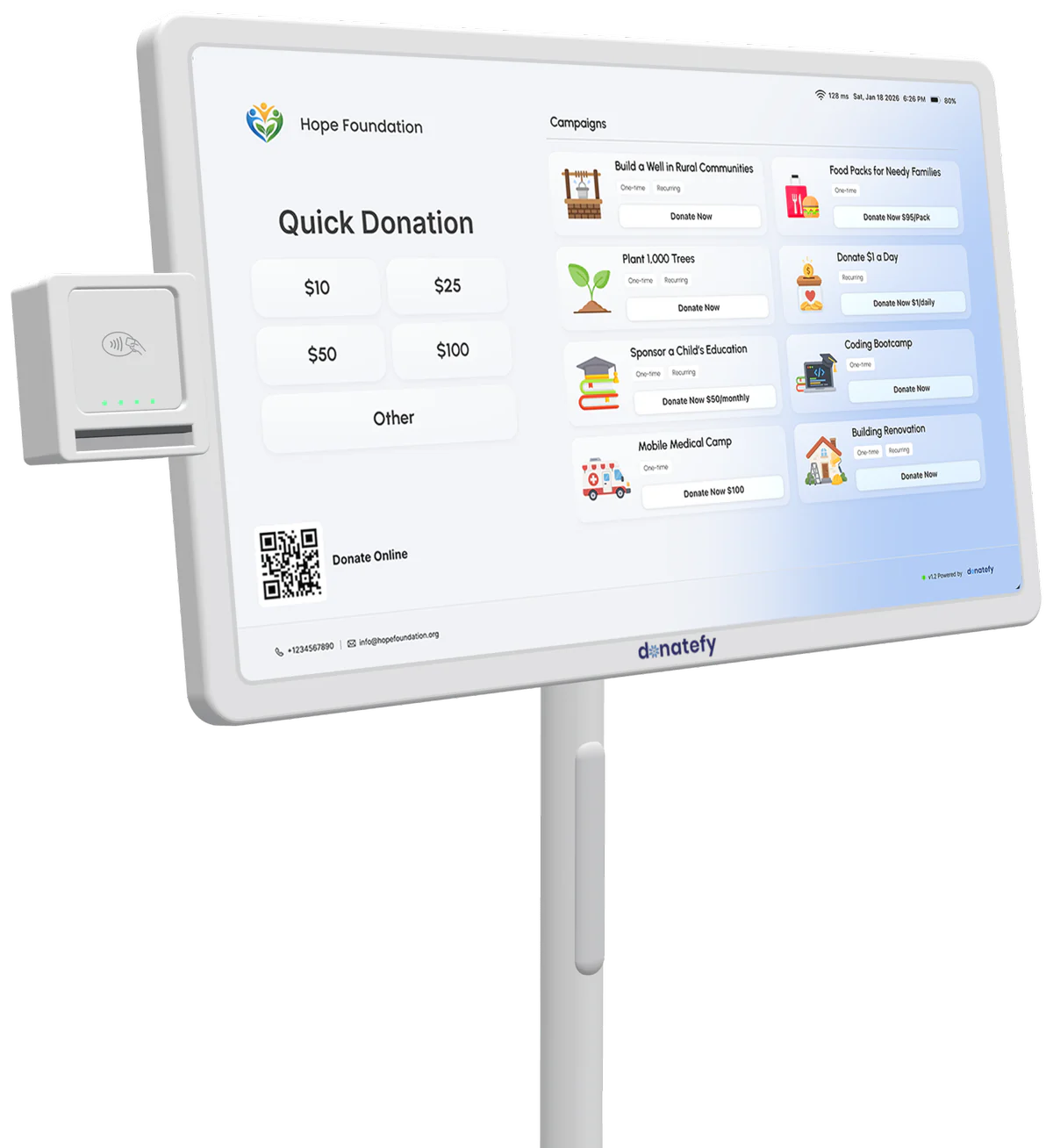
Campaigns a school runs on Donatefy
Each fund is its own campaign, with its own page, QR code, and public goal meter. Any campaign can take one-time or monthly gifts in suggested, donor-chosen, or unit-based amounts, and every plan includes unlimited campaigns.
Annual fund
The year-round ask to families and alumni, kept on the giving site and the front-office kiosk.
Building fund
A gym, a library wing, or a playground, with a goal meter that shows the school community how close the project is.
Giving day
One day, one link, one goal. For a matching gift, set the goal to the amount being matched, so the meter shows how much of the match is left to unlock.
Classroom supplies
With unit-based giving, each amount stands for something a teacher can use, such as a class set of books.
Scholarship fund
Tuition help or a memorial award as its own campaign, so restricted gifts are reported apart from general giving.
Athletics and the arts
Uniforms, team travel, instruments, and the spring musical, each as its own campaign.
A campaign appears only where you assign it, so a concert campaign can run on the readers for one night. More on campaign management.
Game days, open houses, and performances
A home game or a winter concert brings the school community into one room. Give the event its own campaign and a giving point where people stop.
A reader at the welcome table
The Stripe Reader S700 or Stripe Reader S710, made by Stripe and provisioned by Donatefy, waits at the welcome table or beside the bleachers with the night's campaign on screen. Each reader is $349.
Phones in the stands
The Mobile App is a fundraising app for your school's staff and volunteers. On a compatible phone, it takes contactless gifts with Tap to Pay on iPhone and Tap to Pay on Android. Starter includes 2 phones, and Growth includes unlimited phones.
The front-office kiosk, rolled out
An FS-22 floor-standing kiosk from the front office can roll to the gym for a game, a performance, or an open house within Wi-Fi range, with battery backup for up to 8 hours.
Fields without Wi-Fi
Many outdoor fields have no Wi-Fi. A Stripe Reader S710 with cellular switched on moves to 4G LTE and keeps taking gifts.
Cellular is switched on only for the readers that go out to the field, and Stripe bills it separately from Donatefy at $10 per reader for each month it is on. Gifts from the game land beside the week's online gifts in one ledger. Planning a full game night? The in-person fundraising page sets readers, kiosks, and phones side by side.
Monthly giving from families
Monthly gifts give a school a base it can plan around between appeals. Families can start one wherever they give: on the giving site, from a QR code in the back-to-school packet, at the front-office kiosk, or on a reader at a game.
Families then look after their own plans in the Donor Portal, where they can manage or cancel a plan and download receipts without emailing the office. Year-end statements are included on Starter and above, and your team sees every active plan and upcoming charge in the Admin Portal.
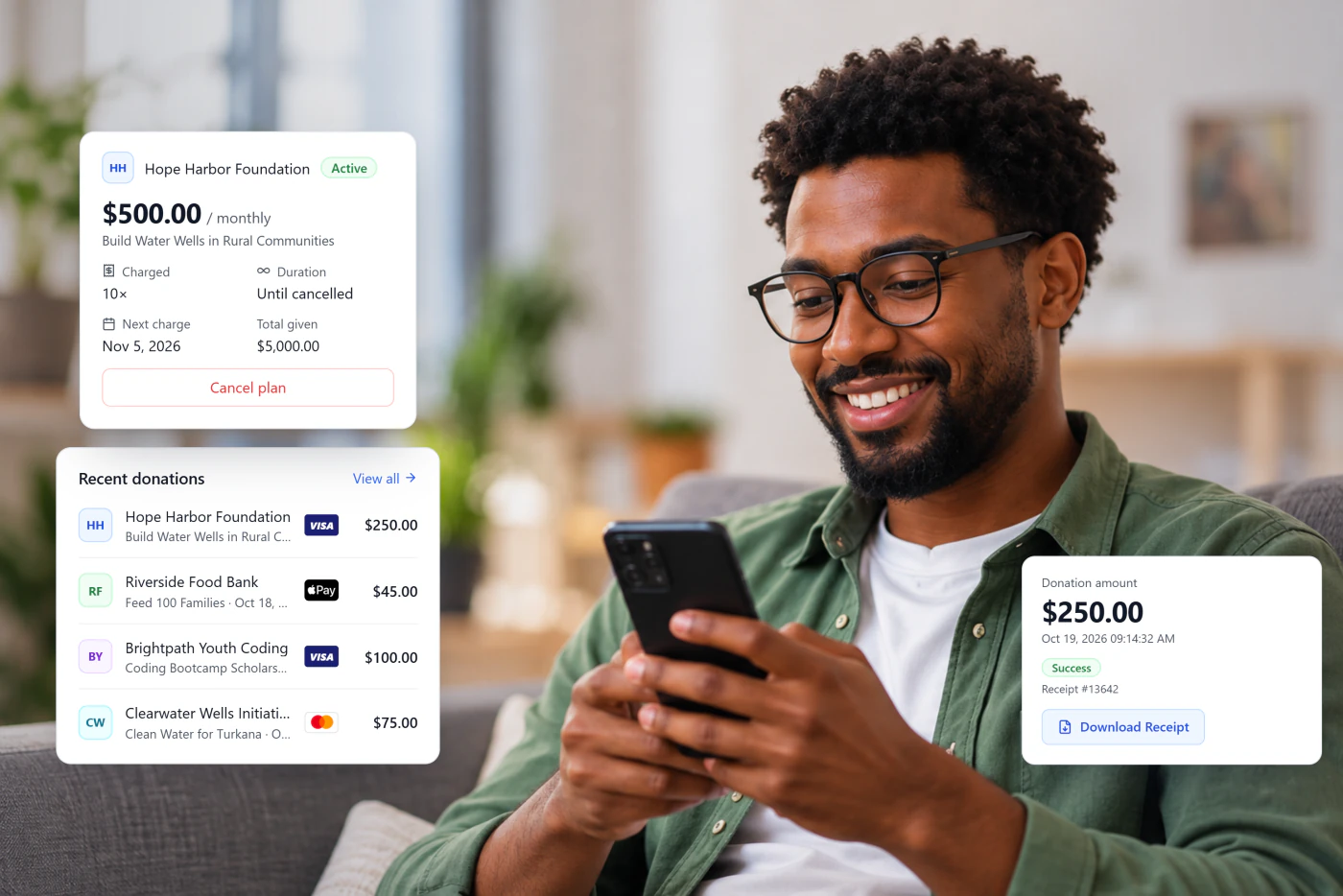
Receipts and records the business office trusts
The moment a gift completes, it triggers a branded receipt with the school's EIN and tax language, whichever channel took it; a kiosk donor claims it by entering an email or scanning the on-screen QR code. Cash and checks dropped at the front desk are entered from the back office and join each family's giving record next to its card gifts.
Access is role-based: a parent volunteer can run a campaign without seeing finance reports, while the bookkeeper handles refunds and reconciliation. With the QuickBooks Online add-on ($20 a month on any paid plan), each campaign posts to its own account, class, and department. If the school keeps an advancement database, gifts can also sync to Blackbaud, Bloomerang, or Salesforce, each a separate add-on.
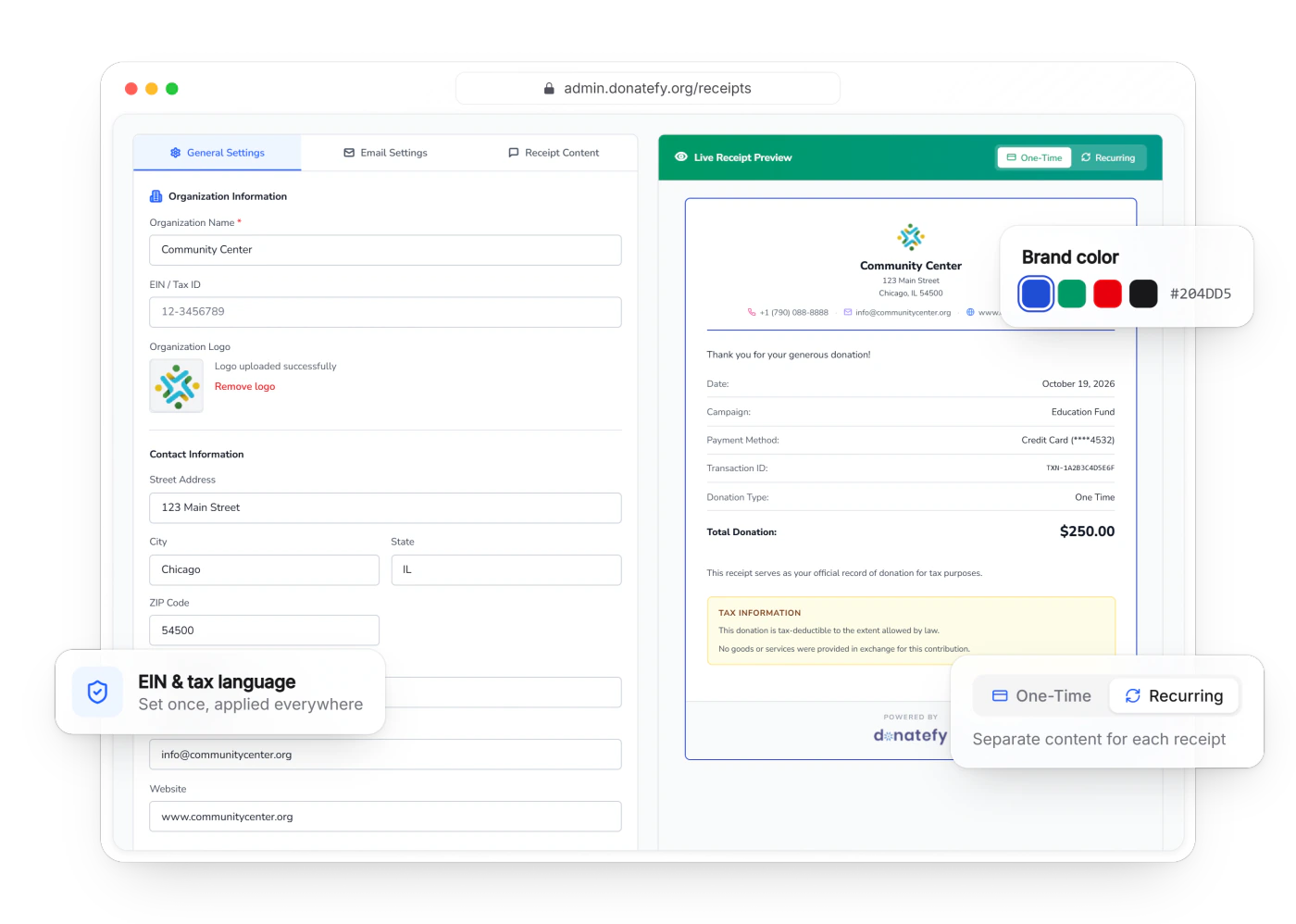
PTOs, booster clubs, and school foundations with their own accounts
Many parent groups and school foundations are organizations in their own right. They can run Donatefy on their own, with gifts going to their own account.
Their own account, from $0
A PTO, booster club, or school foundation can open its own account on the Free plan: $0 a month and a 1.0% platform fee for its own giving site, campaign pages, QR codes, and receipts.
Their own Stripe account
Gifts settle directly into the group's own Stripe account and pay out to its bank. Donatefy never holds or pools the money.
Several entities on Enterprise
A district, or a school with a foundation and several programs, can use Enterprise for multi-site support and per-campaign settlement across Stripe accounts. Pricing is custom: talk to sales.
When officers change, invite the new treasurer as a team member; the campaigns, donor records, and receipts stay with the organization.
What it costs
Self-serve plans and devices have published prices. A school pays for a plan, a flat platform fee on each gift, and processing by Stripe; hardware is optional.
Free, $0
Online giving with no card required: campaign pages, QR codes, and the Donor Portal. 1.0% platform fee.
Starter, $49 a month
One device, such as a kiosk or a reader, plus the Mobile App on 2 phones and year-end statements. 0.8% platform fee.
Growth, $149 a month
Up to 5 devices, unlimited Mobile App phones, donation forms, and the fleet dashboard. 0.5% platform fee.
Enterprise, custom
Unlimited devices on fair use, multi-site support, and per-campaign settlement across Stripe accounts, with a negotiated 0.25 to 0.5% platform fee. Talk to sales.
Devices are a one-time purchase the school owns: an FS-22 floor-standing kiosk for the front office is $1,000, a WM-22 wall-mounted kiosk is $700, and each provisioned Stripe Reader S700 or S710 for game nights is $349. Every device we sell comes with a 45-day money-back pilot and Donatefy's one-year warranty.
Stripe charges processing on each gift at the rates Stripe publishes, shown as its own line in your own Stripe account, apart from the Donatefy platform fee. Families can choose to cover both fees at checkout, so the school keeps 100% of the gift. 72% of donors on Donatefy choose to cover the fees. Source: Donatefy platform data. Coverage is always the donor's choice, and results vary by organization. The pricing page lists every plan and add-on.
What Donatefy is for
Donatefy is built for donations. If your school sells tickets, runs auctions, or hosts read-a-thons in another tool, Donatefy collects the gifts around them, so every donation lands in one ledger. Because every gift gets a tax-ready donation receipt, Donatefy devices take donations only, not ticket sales.
Donatefy by the numbers
School fundraising questions
Planning a giving day? Start with our GivingTuesday ideas and the multichannel campaign checklist.
What is school fundraising software?
Is there a free plan for schools and PTOs?
Can parents give monthly?
Can we take card gifts at a game or school event?
Do families get a tax receipt?
Can each campaign post to its own QuickBooks account?
Can volunteers collect without seeing financial reports?
Can a PTO or booster club use Donatefy on its own account?
Do families need an app to give?
Bring your campaign list to a demo.
We will map your funds and events to giving points and show you where each gift lands.