
Hospital donation kiosks and online giving for health charities.
Donatefy puts a donation kiosk in your hospital lobby and runs online giving for your foundation, with every fund, from a patient care fund to an equipment fund, kept separate in one ledger.
 One ledger
Where gratitude happens in a hospital
A hospital donation kiosk does its best work where people already pause and where thanks are close at hand. Five places to start:
- The main entrance and lobby, passed on the way in and again on the way out
- Outpatient waiting areas, where people sit with a few minutes to spare
- Near the gift shop or café, where visitors already stop
- On the route out, set back from the doors so a line never blocks the exit
- The foundation office, for donors who come by to give in person
Give each kiosk a sign with one plain line about what a gift does there, such as new equipment for the unit down the hall.
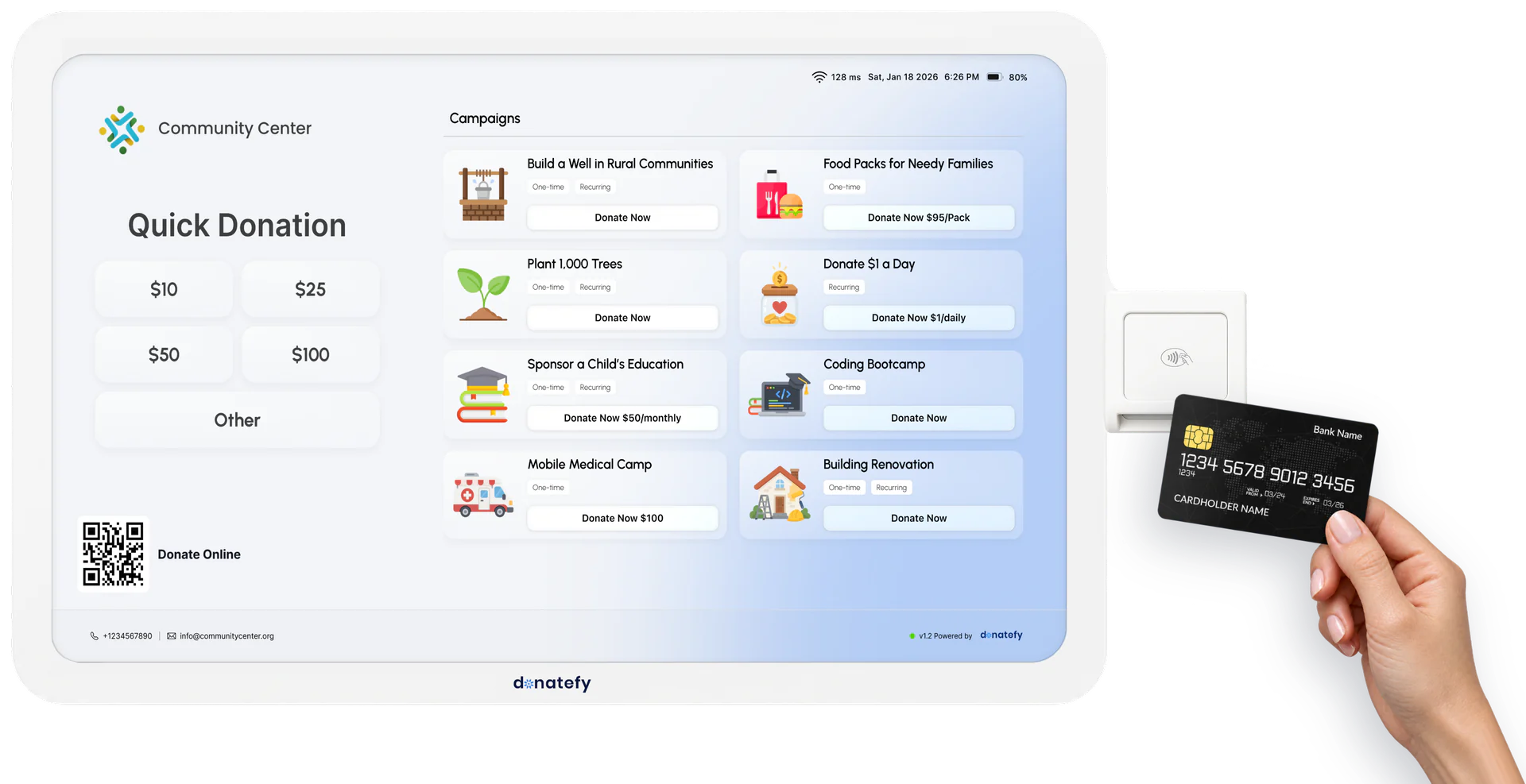
FS-22 or WM-22 for hospital spaces
Both kiosks have a 22-inch touchscreen and a tap and chip card reader for credit cards, debit cards, and digital wallets. The choice comes down to the space.
WM-22 wall-mounted, $700
Fixed to the wall, it takes up zero floor space, which suits waiting areas and alcoves where the floor belongs to chairs, carts, and wheelchairs. See the WM-22
FS-22 floor-standing, $1,000
On a rolling base with battery backup for up to 8 hours, it can greet visitors in the main lobby by day and move to a donor reception at night. See the FS-22
Bought once, owned outright
Your foundation owns each kiosk it buys, with a 45-day money-back pilot and Donatefy's one-year warranty on every device we sell. A kiosk runs on Starter, $49 a month, or a higher plan.
Both run on your building's Wi-Fi. For a deeper comparison, read how to choose a donation kiosk or compare all donation kiosks.
One campaign per fund donors recognize
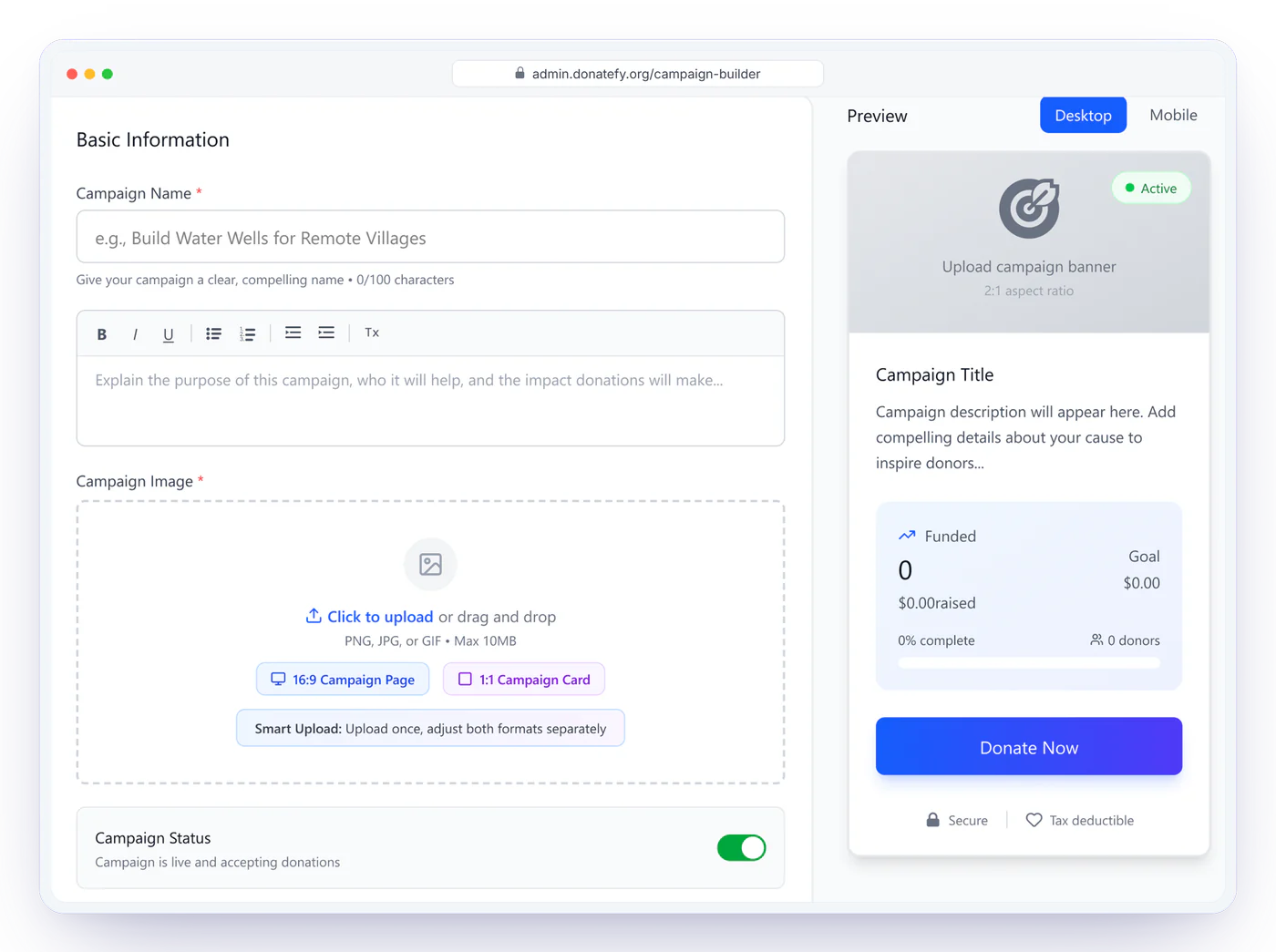
A named fund gives a visitor something specific to support. Set up a patient care fund, an equipment fund, and a fund for one unit or program, each as its own campaign with its own story, image, Quick Donation presets, and goal meter. Each kiosk can show all of them, or only the fund that belongs to its part of the building.
With the QuickBooks Online add-on, each fund maps once to its own account, class, and department, so a gift to the equipment fund reaches your books already coded. Campaign reporting in the Admin Portal shows each fund's total and goal progress. A foundation with several entities can settle different campaigns to different Stripe accounts on Enterprise.
Galas, walks, and community events
Fundraising for hospitals and other healthcare facilities runs well beyond the lobby: a gala in a hotel ballroom, a charity walk, a community health fair. The same funds travel with you.
Gala tables
The Stripe Reader S700 and Stripe Reader S710, made by Stripe and provisioned by Donatefy, go from table to table during the appeal. Each is $349 and arrives with your campaigns loaded.
Walks and runs
Start lines and route stops often have no Wi-Fi. The S710 adds 4G LTE, billed by Stripe at $10 per reader for each month it is on, separately from Donatefy.
Volunteers with phones
At a health fair, the Mobile App turns volunteers' own compatible phones into giving points with Tap to Pay on iPhone and Tap to Pay on Android.
Every event gift lands in the same ledger as your lobby and online gifts. Planning the evening? See how to collect donations at a gala.
Online giving for health charities
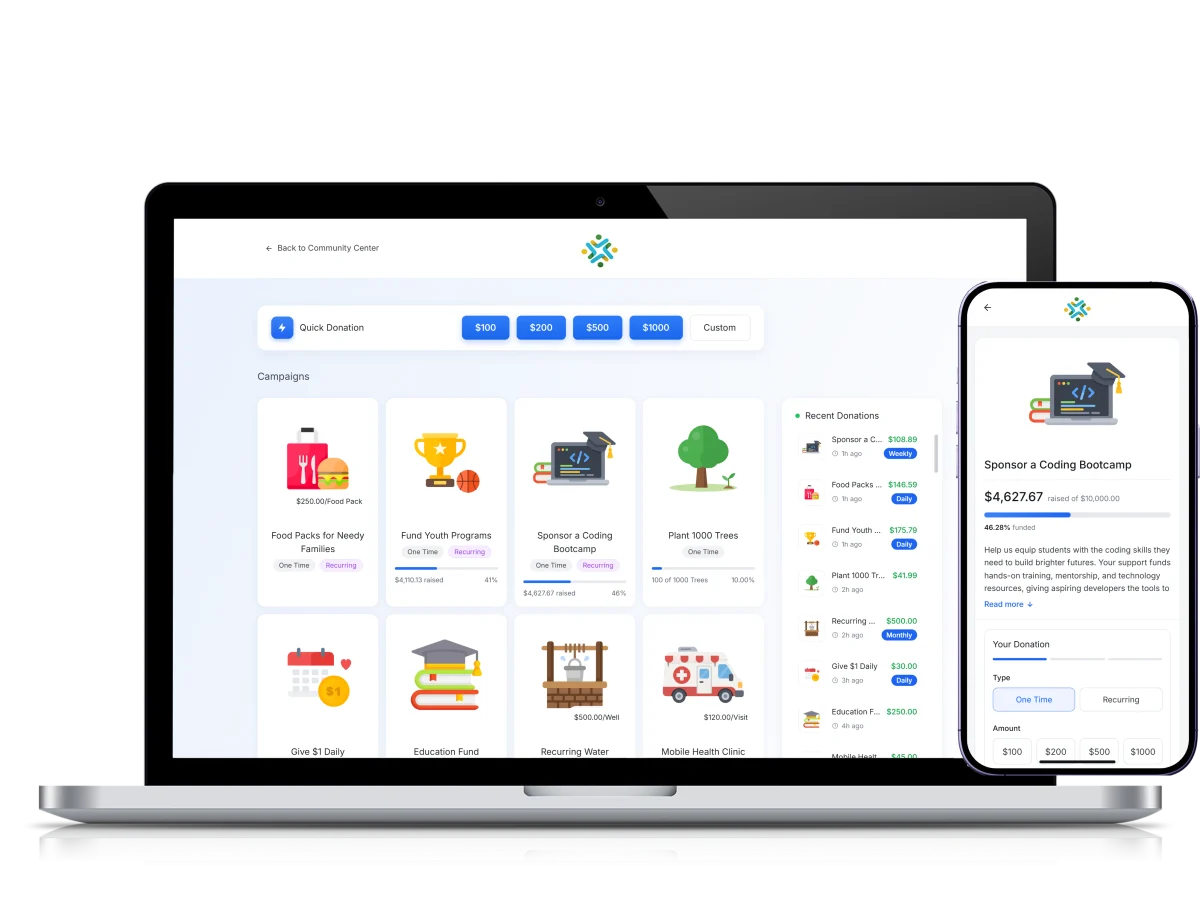
Plenty of supporters never pass the lobby. Your foundation gets a branded giving site with every fund as a campaign card, plus a standalone page and a QR code for each campaign. Print the codes on waiting-room signage, newsletters, and annual mailers, and a scan takes the donor straight to the gift.
Checkout takes cards, Apple Pay, Google Pay, and ACH bank transfers, and the donor can make the gift monthly in the same step. In the Admin Portal, a gift from a mailer QR code sits beside a tap at the lobby kiosk, each under its own fund.
What Donatefy connects to
Donatefy connects to the foundation's accounting, donor CRM, and email tools, and full card numbers stay with Stripe.
Accounting, donor CRM, and email
QuickBooks Online, Blackbaud, Bloomerang, Salesforce, Kindful, and Mailchimp, each an add-on on any paid plan, with sync status shown on every donation. See integrations
Card numbers stay with Stripe
Stripe captures card details in its own payment systems, and full card numbers are never stored on Donatefy servers. Every gift settles straight into the foundation's own Stripe account. More on secure donation processing.
Role-based team access
Staff, finance users, and volunteers each get the access their role needs, and every refund is recorded with who issued it, when, and for how much.
Add-on prices: QuickBooks Online $20, Blackbaud $15, Bloomerang $15, Salesforce $10, Kindful $10, and Mailchimp $5 a month.
Receipts, records, and reporting for the hospital foundation
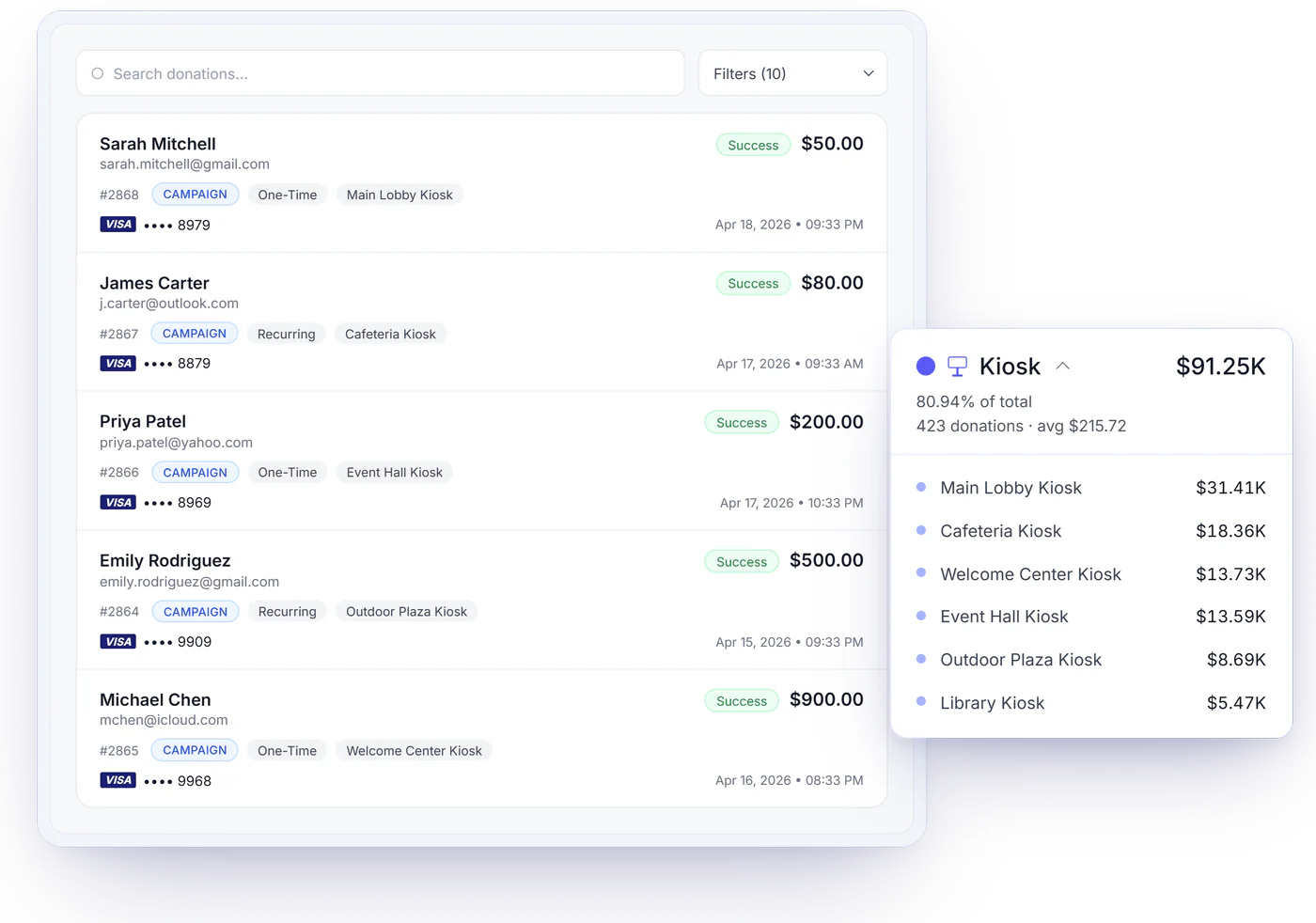
Every gift triggers an automatic receipt with your foundation's EIN and tax language, whether the donor tapped a card in the lobby or gave from home. Donors find past receipts and manage monthly gifts in the Donor Portal, and cash and checks that arrive by mail are entered into the same ledger from the back office.
On Starter and above, the Admin Portal shows whether each kiosk and reader is online and when it was last active. On Growth and Enterprise, the fleet dashboard adds health, battery, and totals per device, so you can compare the main lobby with the clinic.
What it costs
A hospital donation kiosk has two fixed costs: the device, bought once, and the monthly plan that activates it. Each gift also carries the plan's platform fee and processing by Stripe.
One lobby kiosk
A WM-22 at $700 or an FS-22 at $1,000, plus Starter at $49 a month: 1 device, the Mobile App on 2 phones, and a 0.8% platform fee.
Several kiosks
For kiosks on several floors, Growth at $149 a month covers up to 5 devices and adds the fleet dashboard, unlimited phones, and donation forms, with a 0.5% platform fee.
Online giving only
Free at $0 a month covers online giving alone: a branded giving site, a page and QR code for every fund, and recurring gifts, with a 1.0% platform fee and no card required.
A health system
Several foundations or campuses fit Enterprise: unlimited devices on fair use, multi-site support, and settlement by campaign across Stripe accounts, at a negotiated 0.25 to 0.5% platform fee. Pricing is custom: talk to sales.
Stripe Reader S700 and S710 handhelds are $349 each, provisioned. Processing belongs to Stripe: it is billed at the rates Stripe publishes and shows up in your foundation's Stripe account, kept apart from the Donatefy platform fee. At checkout, donors can choose to cover the processing and platform fees, so 100% of the gift reaches the foundation. 72% of donors on Donatefy choose to cover the fees. Source: Donatefy platform data. Coverage is always the donor's choice, and results vary by organization. Plans, devices, and add-ons are all listed on the pricing page.
Donatefy by the numbers
Hospital donation kiosk questions
Budgeting for the lobby? See what a donation kiosk costs in its first year.
Where should a hospital put a donation kiosk?
How much does a hospital donation kiosk cost?
Can one kiosk show several funds, such as patient care and equipment?
Can visitors start a monthly gift at the kiosk?
Do donors get a tax receipt automatically?
Does the kiosk need staff?
What if a lobby kiosk loses Wi-Fi?
Can a health system with several foundations run on one account?
Can we use Donatefy at a gala or a charity walk?
Map your lobby and your funds in a demo.
Tell us your entrances, waiting areas, and funds, and we will suggest where each kiosk goes and which funds it shows.