
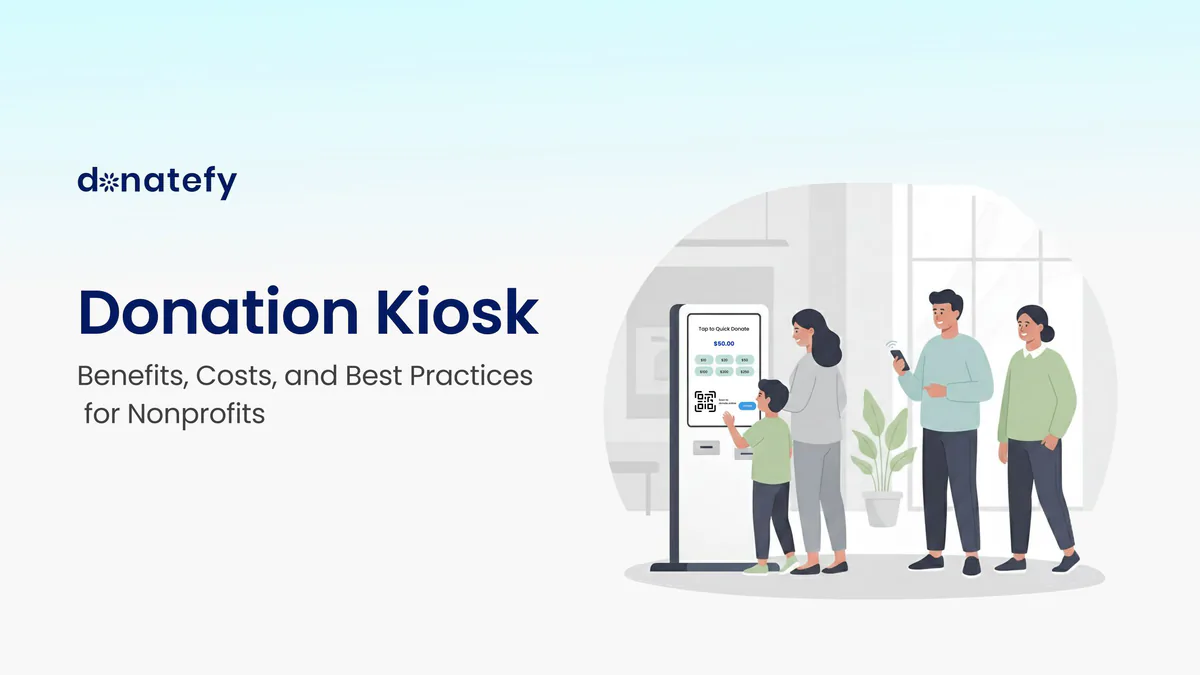
Fewer supporters carry cash every year, but the impulse to give has not changed. When someone is moved by your mission at a gala, a community center, or a house of worship, they reach for a card or a phone. If the only options are a clear box for bills or a web address they have to type into a browser, the moment passes. You lose more than one gift: you lose the chance to meet a new donor.
A donation kiosk is no longer a gadget reserved for large organizations. It is a practical way to connect a physical place to digital giving. This guide covers what a kiosk is and how it works, how it helps nonprofits, the full cost of owning one with first-year examples, and the practices that make it work.
What is a donation kiosk?
A donation kiosk is a self-service giving station: a touchscreen, a built-in card reader, and software designed for one job, turning a tap into a receipted, recorded gift. Supporters give with a credit card, debit card, or digital wallet such as Apple Pay or Google Pay, so "I don't have cash on me" stops being a reason not to give.
Donatefy makes two kiosk formats with the same donor experience: the FS-22 floor-standing kiosk for lobbies and halls, and the WM-22 wall-mounted kiosk for entrances and hallways where floor space is tight.
How a donation kiosk works
- You set it up from your desk. Campaigns, Quick Donation amounts, and one-time or recurring options are assigned to the kiosk in the Admin Portal, and you can change them at any time without touching the device.
- A donor chooses. On the touchscreen, they pick a campaign or a Quick Donation amount, give once or monthly, and can choose to cover the fees.
- They pay with a card or phone. The built-in card and contactless reader takes credit cards, debit cards, and digital wallets.
- The gift is recorded and receipted. On a Donatefy kiosk, it settles into your organization's own Stripe account, lands in your ledger tagged with the kiosk and campaign, and a receipt goes out by email when the donor adds an address or scans the QR code on the confirmation screen.
Churches often call the same device a giving kiosk. The hardware and the steps are identical.
How a donation kiosk differs from a retail checkout
Some organizations start with a retail point-of-sale tablet. It can take a card, but it was built to sell products, and the differences show up quickly:
- Purpose. A retail system is organized around carts and inventory. A donation kiosk is organized around your campaigns and what each gift accomplishes.
- Recurring giving. Retail checkouts rarely offer a monthly gift without workarounds. On a Donatefy kiosk, a card tap can start a monthly plan.
- Receipts. A retail receipt lists a purchase. A donation receipt needs your organization's details and tax-deductibility language, sent automatically.
- Branding. A retail screen carries the vendor's look. A kiosk shows your campaign titles, stories, and imagery.
- Donor records. Retail data stops at the transaction. Kiosk gifts join the same donor record as online giving.
- Fee coverage. Donors at a Donatefy kiosk can choose to cover the processing and platform fees, an option you control.
Donation kiosk benefits for nonprofits
Moving from a static donation box to a digital kiosk changes more than the payment method. Here are five benefits you will notice first; for the full list, see eight donation kiosk benefits.
1. Suggested amounts that set a confident starting point
A cash box takes whatever bill happens to be in someone's wallet. A kiosk presents preset amounts you choose, plus a custom amount, so the donor starts from a considered reference point instead of loose change. You can also use unit-based giving that ties an amount to something tangible, such as meals or supplies.
2. A gift in a few taps
Donors should not have to fill in a paper form or work through a long web checkout while standing in a hallway. At a kiosk, a donor picks a campaign, chooses an amount, and taps a card or phone. The gift is complete in seconds, which matters most when a crowd is leaving a service or an event.
3. Donor details captured with the gift
Cash is anonymous. When a kiosk donor adds an email address for a receipt, the gift joins their donor record beside any online giving, so a spontaneous gift becomes the start of a relationship you can follow up on.
4. Recurring giving at the moment of inspiration
A person standing in your building, having just seen your work, is more convinced right now than any email reader will be. A recurring option on the kiosk lets them become a monthly supporter on the spot, which is the most direct way to turn one visit into lasting support. Donors manage their plans later in the Donor Portal. Here is why recurring giving creates predictable support for a nonprofit's budget.
5. Less cash to count, carry, and enter
Cash and checks take staff time: counting, a second person to verify, a trip to the bank, and manual data entry. Kiosk gifts settle directly into your organization's own Stripe account and receipts go out automatically, so that work disappears for every gift given by card.
What a donation kiosk costs
Board approval goes faster when the full cost of ownership fits on one page. A kiosk involves a few separate cost lines, summarized here from Donatefy's published prices and explained below.
| Cost line | How it is charged | Published price |
|---|---|---|
| Kiosk hardware | One-time purchase you own, with Donatefy's one-year warranty and a 45-day money-back pilot | FS-22 floor-standing: $1,000 WM-22 wall-mounted: $700 |
| Handheld reader, optional | One-time purchase of a Stripe Reader S700 or Stripe Reader S710, made by Stripe and provisioned by Donatefy | $349 provisioned, or $49 to activate a reader bought from Stripe |
| Software plan | Monthly, or annually with two months free; devices activate on Starter and above | Starter: $49 a month or $490 a year, 1 device Growth: $149 a month or $1,490 a year, up to 5 devices Enterprise: custom |
| Donatefy platform fee | A flat percentage of each gift, the same on every channel | 0.8% on Starter, 0.5% on Growth, 0.25 to 0.5% negotiated on Enterprise |
| Payment processing by Stripe | Set by Stripe and shown separately in your own Stripe account | At the rates Stripe publishes; Stripe standard pricing for US in-person card payments is 2.7% + 5¢ |
| Setup | $0 setup fees on self-serve plans; guided help is optional | Starter: $199 guided onboarding Growth: guided onboarding included; full implementation $499, or $249 with annual prepay |
| Optional extras | Only if you choose them | Extra device slot: $15 a month Extended kiosk warranty after the included first year: $5 a month Integration add-ons: $5 to $20 a month each |
Processing rates are Stripe standard pricing for US accounts and domestic cards, as published by Stripe in October 2026; Stripe can change them, so stripe.com/pricing has the current list. If you run a Stripe Reader S710 on cellular, Stripe bills that separately from Donatefy, at $10 per reader for each month cellular is on.
Hardware
Hardware is a one-time purchase, and your organization owns it. Donatefy publishes its prices: the FS-22 floor-standing kiosk is $1,000 and the WM-22 wall-mounted kiosk is $700. Both use a 22-inch touchscreen with an integrated card and contactless reader, and every device carries Donatefy's one-year warranty and a 45-day money-back pilot. For tables and events, a Stripe Reader S700 or Stripe Reader S710, made by Stripe and provisioned by Donatefy, is $349.
Software and platform
The software runs your campaigns, receipts, reporting, and device status. The Free plan at $0 covers online giving, and devices activate on Starter at $49 a month, which includes one device. Growth at $149 a month includes up to five devices, and Enterprise has custom pricing for multi-site organizations. Annual billing costs ten monthly payments, so two months are free. Every plan is listed on the pricing page, with no setup fees on self-serve plans.
Payment processing
Every Donatefy donation is processed by Stripe and settles into your organization's own Stripe account. Stripe sets the processing fees, and they appear there at the rates Stripe publishes. Donatefy charges one flat platform fee per plan that is the same on every channel. Donors can choose to cover the fees at checkout, so 100% of each gift reaches your mission.
Connectivity and upkeep
The FS-22 and WM-22 connect over your building's Wi-Fi. The FS-22 also carries an 8-hour battery backup, so it can move between rooms and ride through a power interruption. Device status shows in the Admin Portal, and the Donatefy team provides remote setup assistance and troubleshooting.
First-year fixed cost: three examples
Fixed costs are the ones you can budget before a single gift arrives: the hardware and the plan. Here they are for three common setups, using published prices and annual billing.
- One WM-22 on Starter: $700 + $490 = $1,190 in year one, then $490 a year.
- One FS-22 on Starter: $1,000 + $490 = $1,490 in year one, then $490 a year.
- Two FS-22 and one WM-22 on Growth: $2,000 + $700 + $1,490 = $4,190 in year one, then $1,490 a year. Three devices fit within Growth's allowance of five.
Billed monthly instead, Starter is $49 a month and Growth is $149 a month. Optional extras such as integrations or an extended warranty add to these totals only if you choose them. Prepaying Growth annually? Ask about the Launch Kit, which bundles a wall-mounted kiosk with your first year.
What these numbers leave out
Two costs scale with what you raise instead of being fixed: payment processing by Stripe and the Donatefy platform fee. Both come out of each gift by default. With fee coverage on, donors can choose to add them to their gift at checkout, and your organization keeps 100% of the gift. 72% of donors on Donatefy choose to cover the fees (source: Donatefy platform data; coverage is always the donor's choice, and results vary by organization).
Donation kiosk cost vs. value
A better question than "what does a kiosk cost?" is "what does it return over time?" Framing it that way helps your board see the purchase as fundraising infrastructure rather than an expense.
- Hardware is a fixed, one-time cost, and the device serves every event and campaign you run for years.
- Software is a predictable monthly cost that supports every gift on every channel, not just the kiosk.
- Processing fees are set by Stripe and scale with what you raise, and donors can choose to cover them.
- Donor records have no line item at all, yet their value grows with every gift you can follow up on.
- Recurring plans started at the kiosk keep giving until the donor decides to stop.
Lifetime donor value changes the math
One monthly donor who signs up at a kiosk can, over a few years, give more than a long run of one-time cash gifts. That is how a kiosk moves fundraising from a series of transactions toward sustained support. If you are still deciding, read is a donation kiosk worth it, an honest look at when a kiosk earns its place and when to start with a phone instead.
Donation kiosk best practices
Placing a kiosk in a corner is not enough. These four practices make the difference.
Place it where people pause
Put the kiosk in a transition zone, where people naturally slow down without feeling rushed.
- Good: near the exit after a program or service, beside a coffee station, or along the path from the entrance.
- Avoid: a dim corner, or the middle of a busy walkway where stopping feels awkward.
Museums and attractions have natural pause points of their own at entrances and exhibit exits. Here is how museum donation kiosks make use of them.
Offer a few clear amounts
Too many choices slow people down. Keep your Quick Donation presets to a short, clear set plus a custom amount, and make the middle amount the gift you most hope to see. You can change amounts from the Admin Portal at any time without touching the device, so test and adjust.
Brand it as a giving station
A bare tablet looks like a cash register and feels transactional. Use your campaign titles, imagery, and a short description of what each gift does, and add simple signage nearby so the kiosk reads as a dedicated place to give.
Give staff and volunteers one simple line
Nobody needs to sell. A greeter who says "You can give right here, it only takes a few seconds" is often all a supporter needs to step up.
Why nonprofits choose Donatefy kiosks
Donatefy is built for nonprofits and faith-based organizations, not adapted from retail. Instead of a checkout, you get donation kiosks connected to the rest of your fundraising.
- Quick Donation. Donors can pick a campaign or go straight to a Quick Donation amount, give, and get on with their day.
- Recurring giving built in. One-time and recurring gifts work on every kiosk, and donors manage their plans in the Donor Portal.
- Your branding. Campaigns carry your titles, descriptions, and imagery, and receipts carry your logo and tax language.
- Device visibility and remote support. Device status and reader connection appear in the Admin Portal on every device plan, the fleet dashboard adds health, battery, and totals per device on Growth and Enterprise, and the Donatefy team helps remotely with setup and troubleshooting.
- Published pricing, owned hardware. Prices are public, the hardware is yours, and self-serve plans run month to month.
Conclusion: take the friction out of giving
The question for nonprofits is no longer whether to accept digital gifts in person, but how soon. A donation kiosk respects your donors' time, matches the way they already pay, and captures generosity at the moment it happens.
By removing the friction of cash and the hours of manual entry, you make it easy for your community to support you when they feel inspired. If you are comparing formats and placement, our buyer's guide on how to choose a donation kiosk walks through every decision.
Frequently asked questions
How much does a donation kiosk cost per month?
With Donatefy, the plan a kiosk runs on starts at $49 a month on Starter, which includes one device, or $490 a year. Growth is $149 a month with up to five devices, and a device beyond your plan allowance is $15 a month. The hardware itself is a one-time purchase, and processing by Stripe and the platform fee are charged per gift rather than monthly. See hardware pricing.
Are donation kiosks secure?
Every Donatefy donation is processed by Stripe, and card details are captured by Stripe. Full card numbers are never stored on Donatefy servers, and donations settle directly into your organization's own Stripe account. See how donations are processed and protected.
Can a donation kiosk collect donor information?
Yes. When a donor adds an email address for a receipt, the gift joins their donor record beside their online giving. With an integration add-on on any paid plan, gifts also sync to systems such as QuickBooks, Blackbaud, and Bloomerang.
Can donors set up recurring donations at a kiosk?
Yes. A card tap at the kiosk can start a monthly plan, and donors manage their plans later in the Donor Portal.
Can donors cover the transaction fees?
Yes. You decide whether the option appears, and donors who choose it add the processing and platform fees to their gift, so your organization keeps 100% of the gift.
Is a donation kiosk difficult to set up?
No. Connect the kiosk to Wi-Fi and assign campaigns from the Admin Portal. Our team helps you plan placement and configure campaigns, and guided onboarding is optional on every self-serve plan.
What happens if the kiosk has an issue?
Device status and reader connection show in the Admin Portal, so a quiet kiosk gets noticed, and the Donatefy team provides remote troubleshooting.
Is there a minimum contract?
Not on self-serve plans, which run month to month, and the hardware belongs to you. More answers are on the donation kiosk FAQ.