
Build the fundraising campaign once. It carries everything with it.
Amounts, recurring options, donor fields, receipts, even accounting codes travel with the campaign to every channel you publish it on.
Everything a campaign needs, in one pass
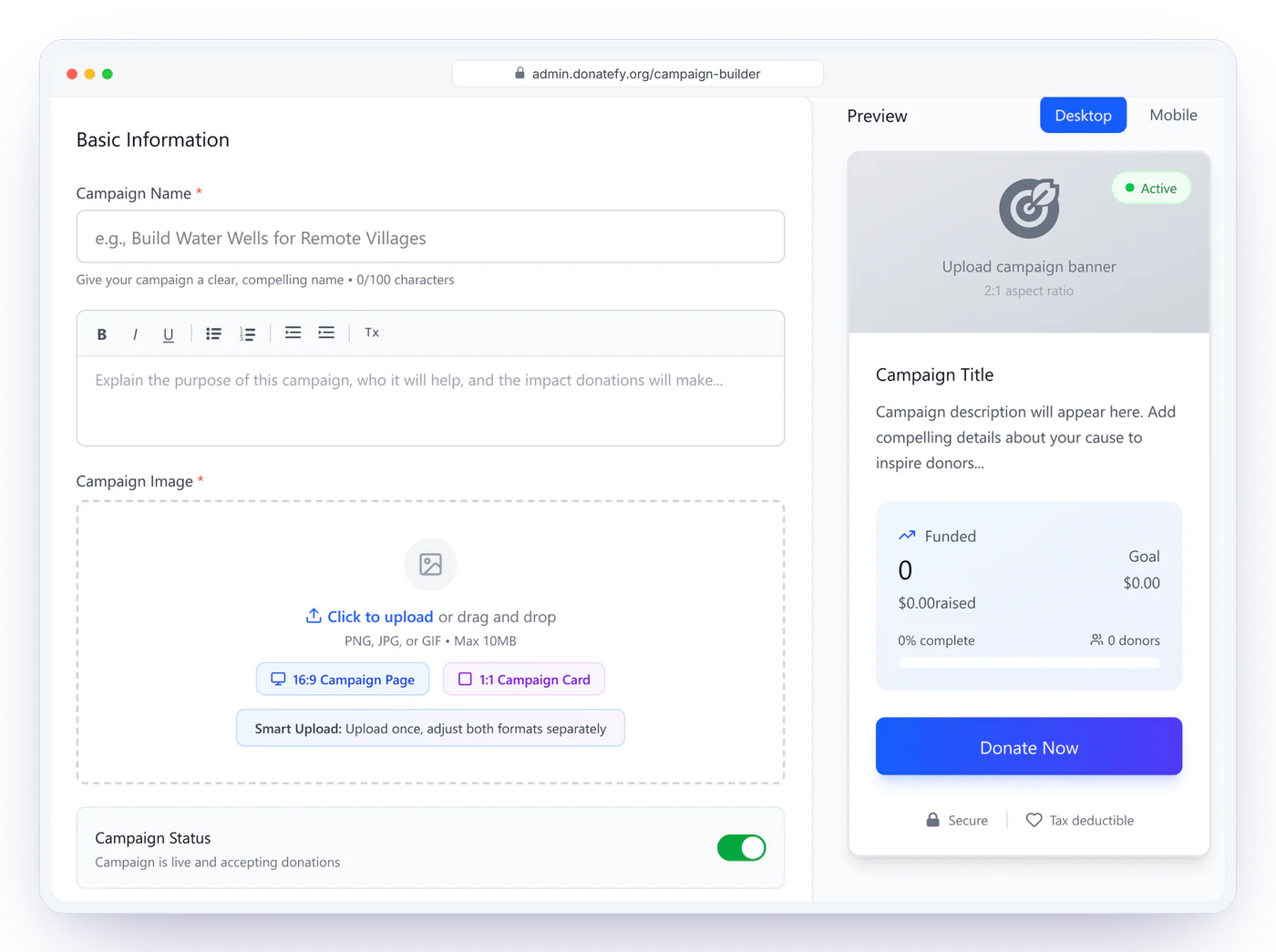
Fundraising campaign management software lets you set up a campaign once and run it on every channel. In Donatefy, the Campaign Builder sets the story, imagery, amounts, and whether donors give once, monthly, or both. It also decides which donor fields to collect, how receipts read, and whether fee coverage is offered.
- Suggested and custom donation amounts
- One-time and recurring giving configuration
- Donor information fields per campaign
- Receipt settings and fee-coverage options
- Goal tracking with public progress
Publish it where it should appear, and nowhere else
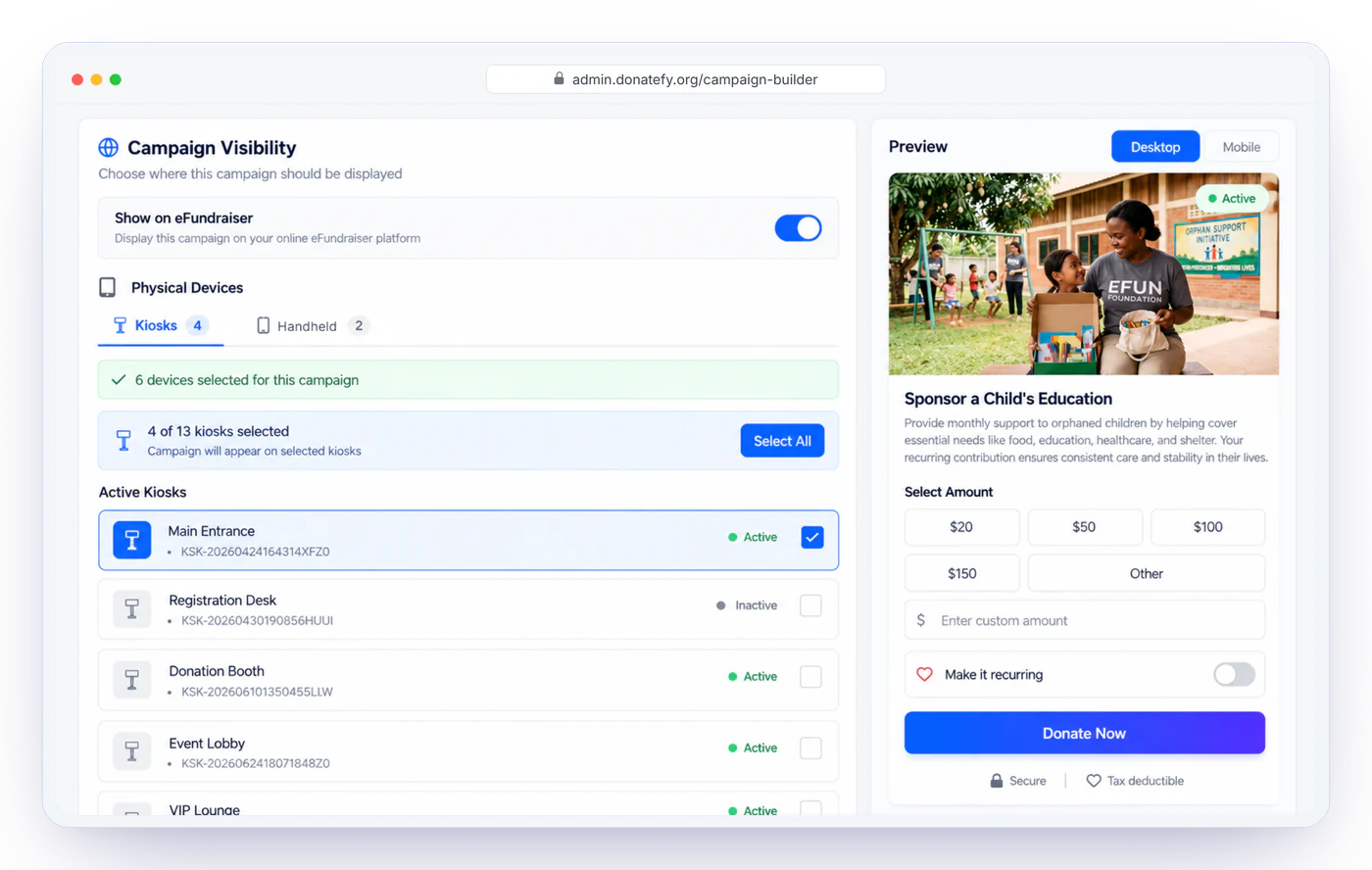
Channel assignment is a campaign setting, not a copy-paste job. Show a building fund on the lobby kiosk and the giving site; keep a gala campaign on handhelds only.
Giving site & pages
E-Fundraiser cards and a standalone page with its own link.
QR & embeds
QR codes for print and screens; components for your own site.
Donation forms
Form experiences with campaign selection and custom donor fields.
Kiosks & devices
Assign to kiosks, Stripe Reader S700 and S710 handhelds, and Mobile App teams.
Campaigns that code their own gifts
Map each campaign to your accounting once: account, class, and department for QuickBooks, fund for Blackbaud and Bloomerang. Every donation then arrives in your books pre-coded, no matter which channel collected it. Month-end stops being a re-keying exercise.

Know which campaigns pull, and where
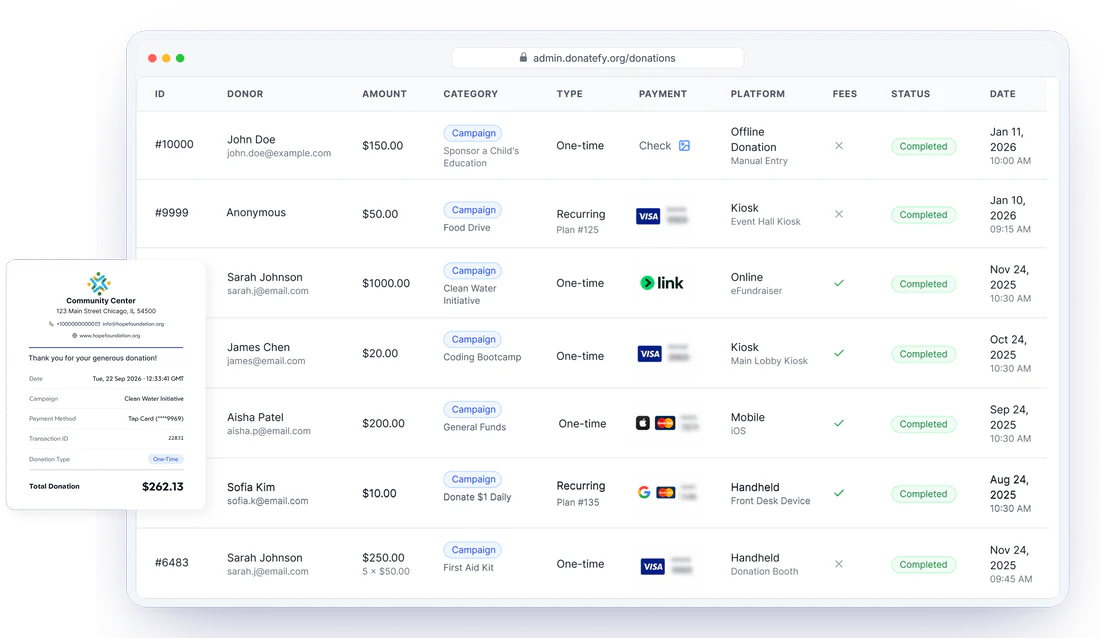
Campaign reporting shows totals, trends, and channel breakdowns per campaign, with goal progress where you have set one. Compare the spring appeal against the building fund, or see whether the kiosk or the giving site carried an emergency drive.
Campaign management questions
Running one appeal everywhere? Read the multi-channel campaign checklist and the donation campaign mistakes to avoid.
How long does a new campaign take to launch?
Can different campaigns settle to different accounts?
Can we run seasonal campaigns alongside permanent ones?
Can a campaign use unit-based giving?
Watch a campaign go live on every channel.
We will build one with your real use case in the demo.