
A floor-standing donation kiosk that rolls wherever people gather.
Put your campaigns on a 22-inch touchscreen with a built-in tap and chip card reader, on a rolling base. Supporters tap, give, and get a receipt in seconds.
- Up to 8 hours of battery backup
- Tap and chip reader built in
- Rolling base moves where people gather
- Wi-Fi on your building's network
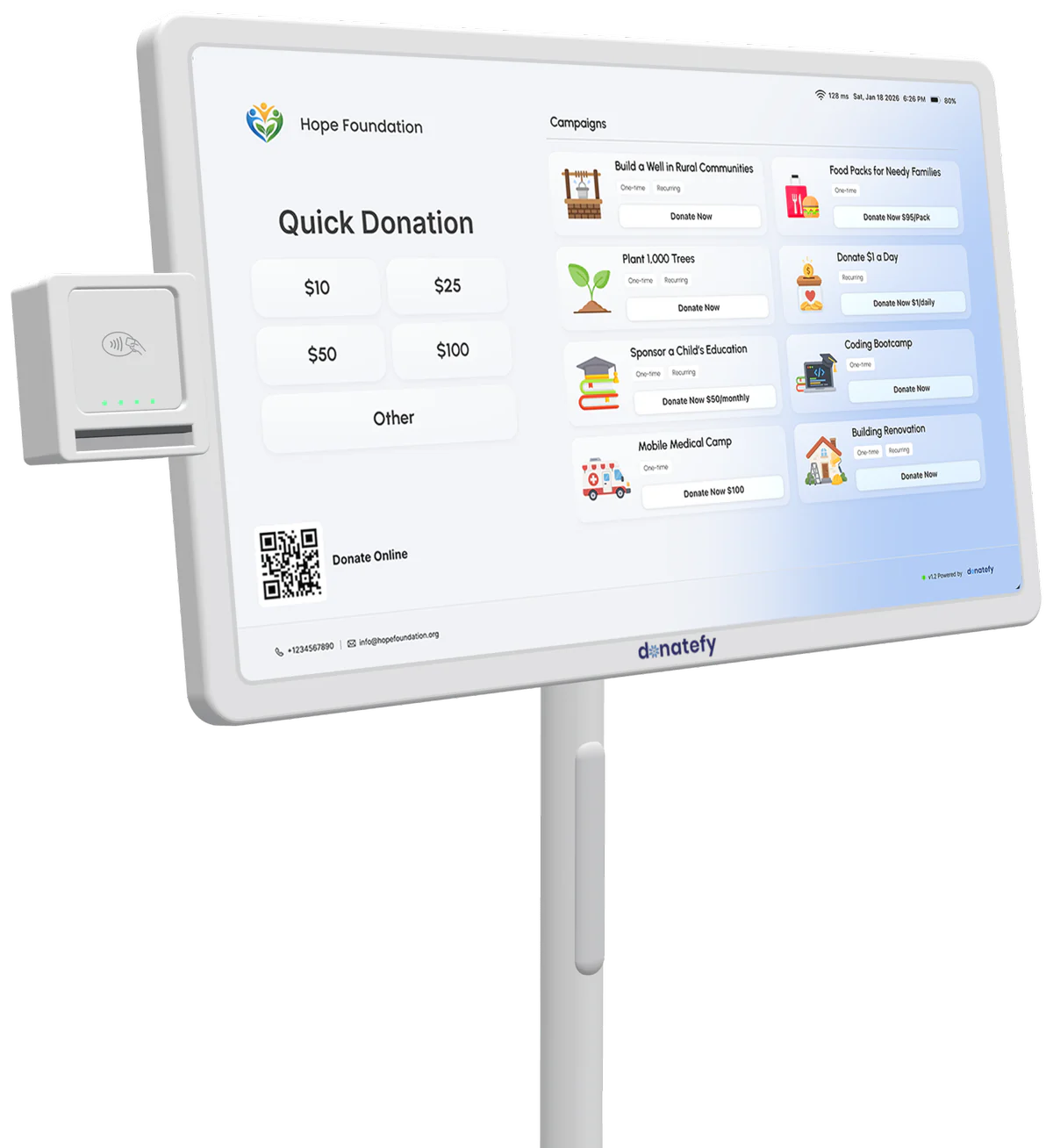 Drag to rotate

View in your space
Scan with your phone to see the FS-22 at full size in your space.
Open this page in Safari to see the FS-22 in your space.
This phone could not open the AR view. You can still drag the 3D model above.
A freestanding donation kiosk your organization owns.
The FS-22 is Donatefy's floor-standing donation kiosk. It costs $1,000 one-time, your organization owns it, and it runs the same campaigns, recurring options, and receipts as every other Donatefy channel. It stands on its own rolling base, so nothing goes on the wall, and battery backup carries it for up to 8 hours away from an outlet.
Comparing formats? See all donation kiosks and handheld readers side by side. Why put a kiosk where people gather? Read about donation kiosk benefits.
Campaigns tailored to your mission
Create campaigns that fit your fundraising goals. Add titles, descriptions, and imagery to tell your story. Set fixed amounts, let donors choose what they give, or offer unit-based giving for tangible impact, whether it is meals, trees, or essential supplies.
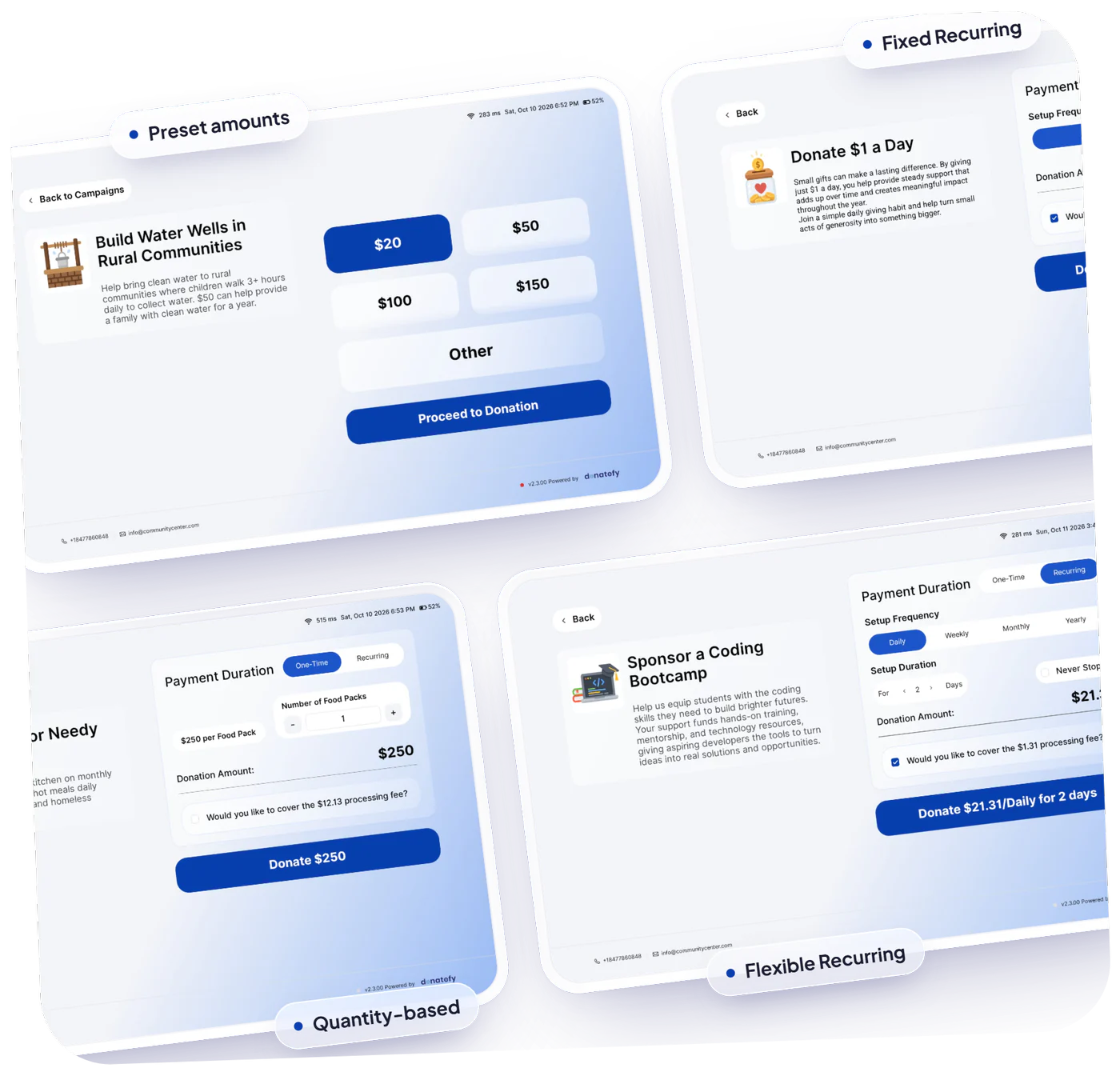
A contactless donation kiosk donors finish in a few taps.
Donors tap a credit card, debit card, or digital wallet on the built-in reader, or insert a chip card. Fee coverage, recurring plans, and receipts happen on the kiosk itself, so nobody on staff has to step in.
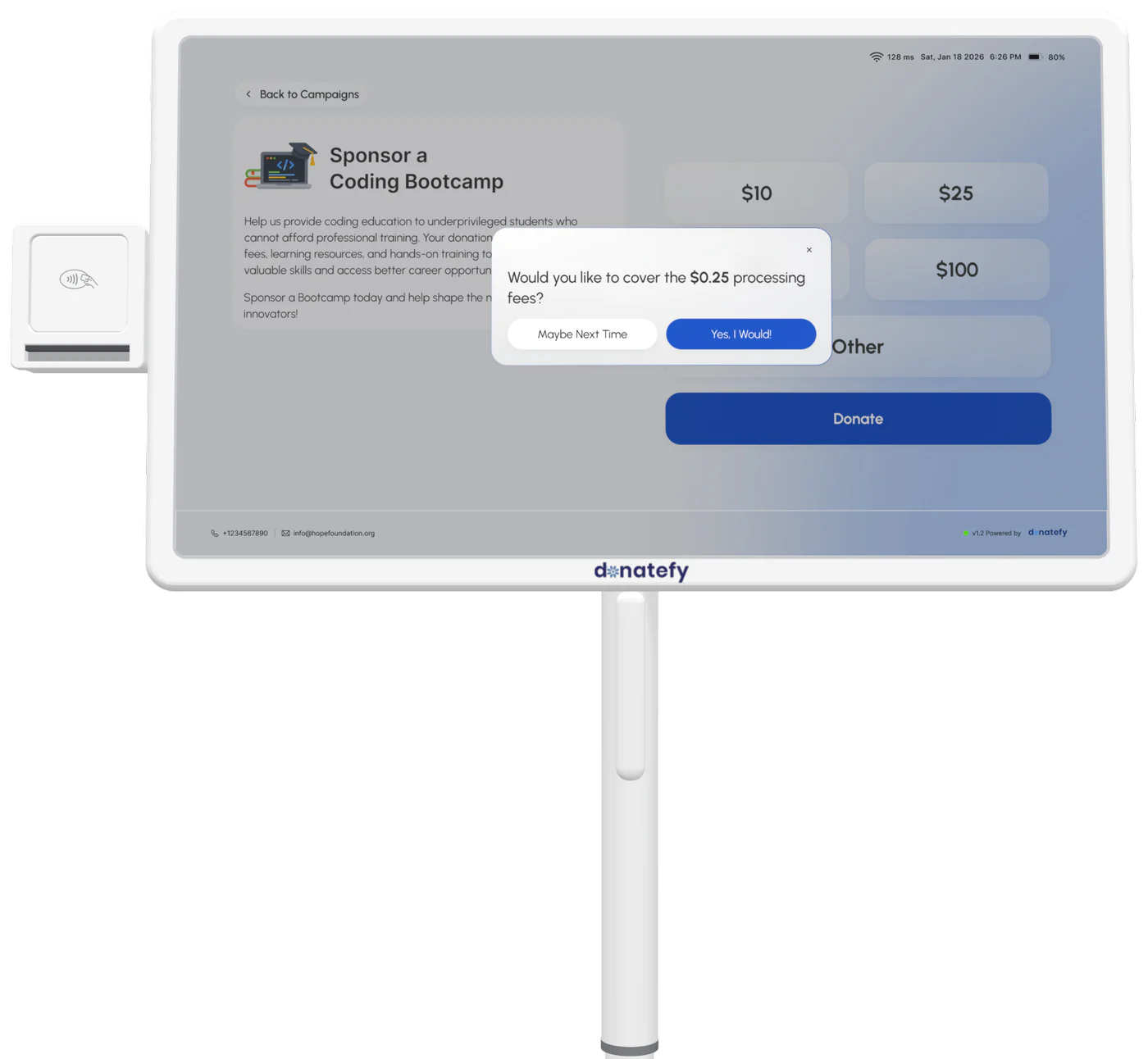
Let donors cover the fees
Donors can add the processing and platform fees to their gift at the kiosk, so 100% of the gift reaches your mission.
72%
of donors on Donatefy choose to cover the fees
Donatefy platform data. Always optional.
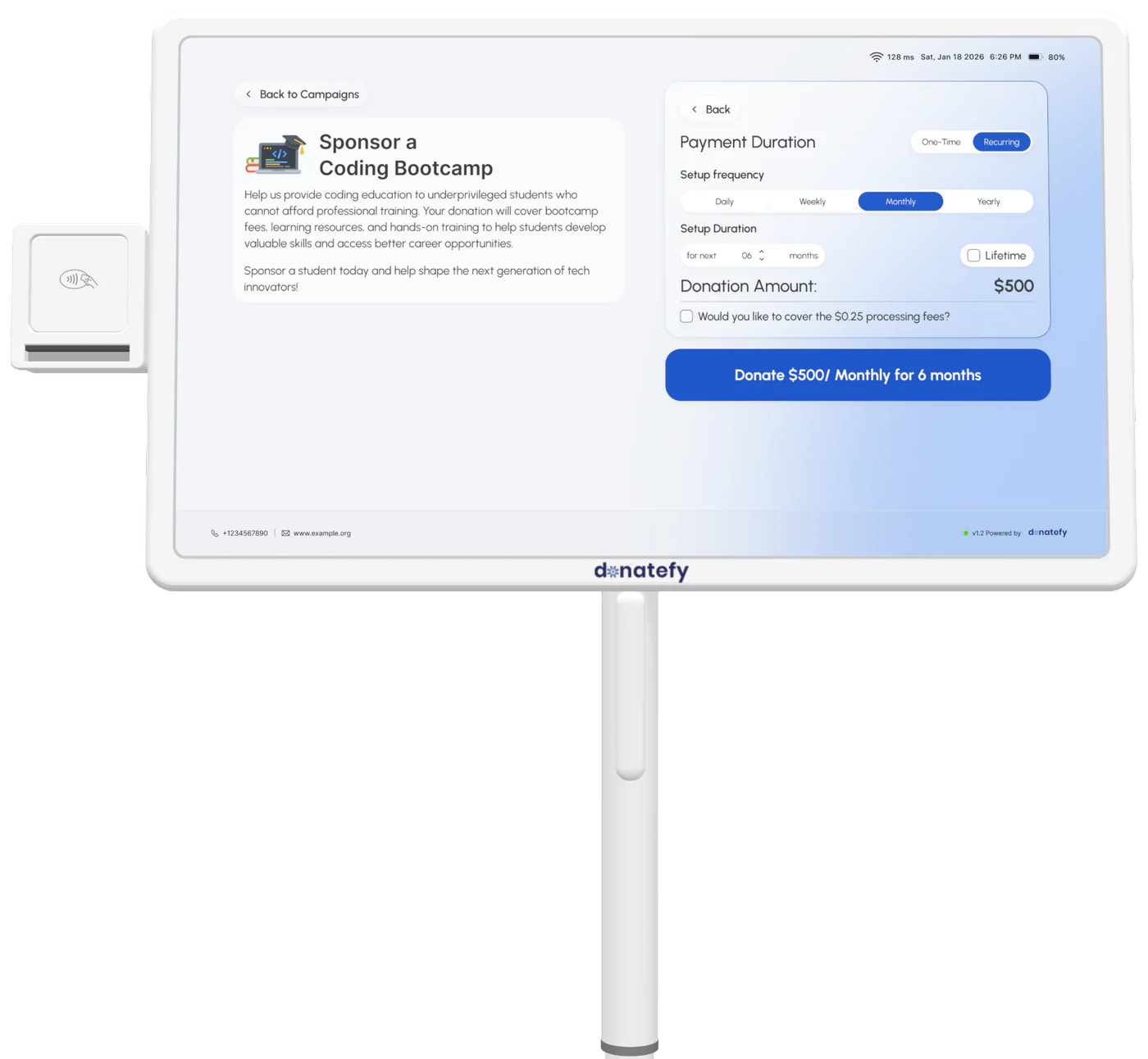
One-time and recurring giving
Accept one-time donations for immediate needs, or enable recurring giving to build a reliable stream of ongoing support. Every gift moves your mission forward.
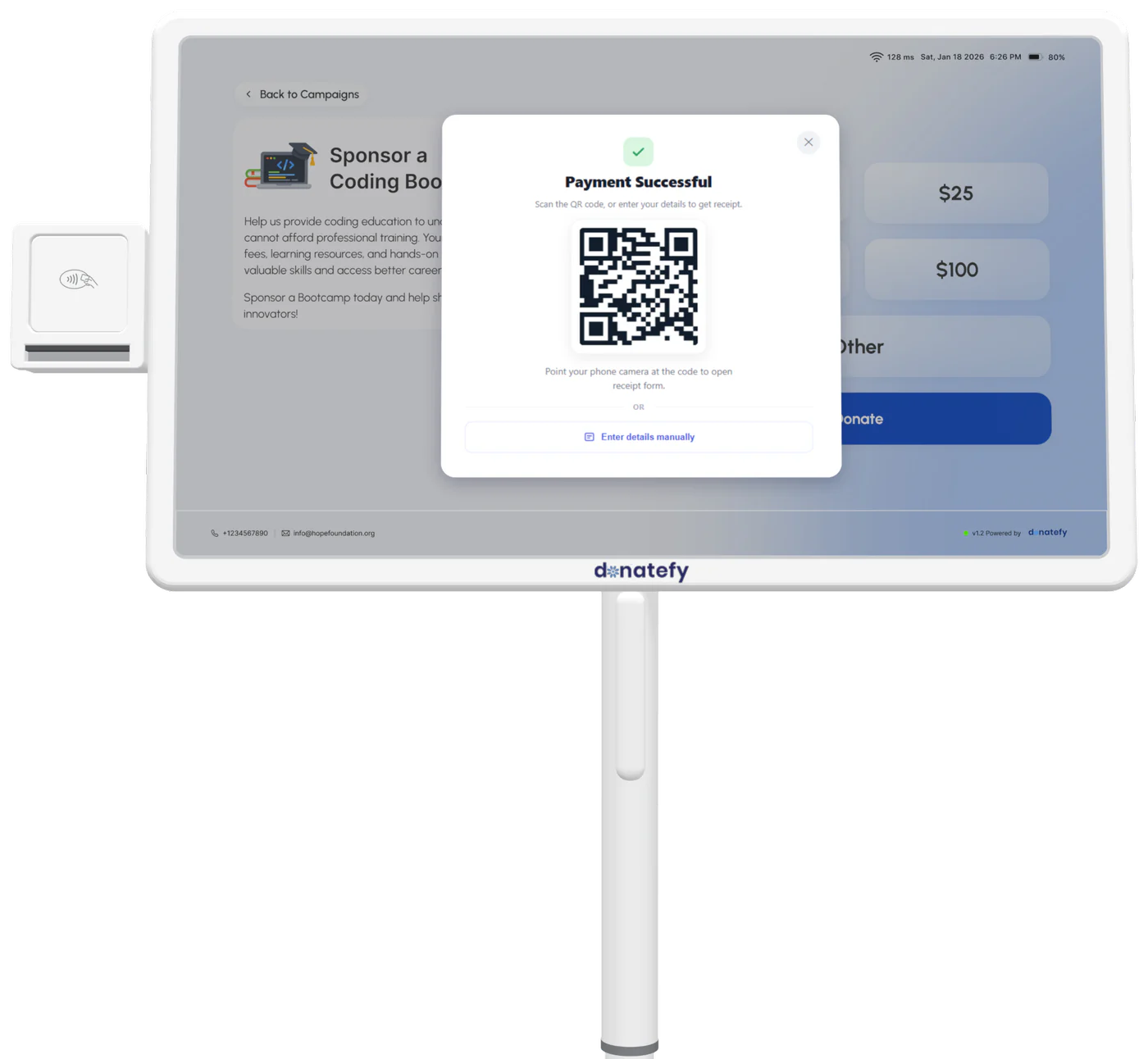
Receipts donors can trust
Receipts are delivered automatically, giving every donor a clear record. Admins can access donation records and resend receipts when needed.
Donation kiosk management from the Admin Portal.
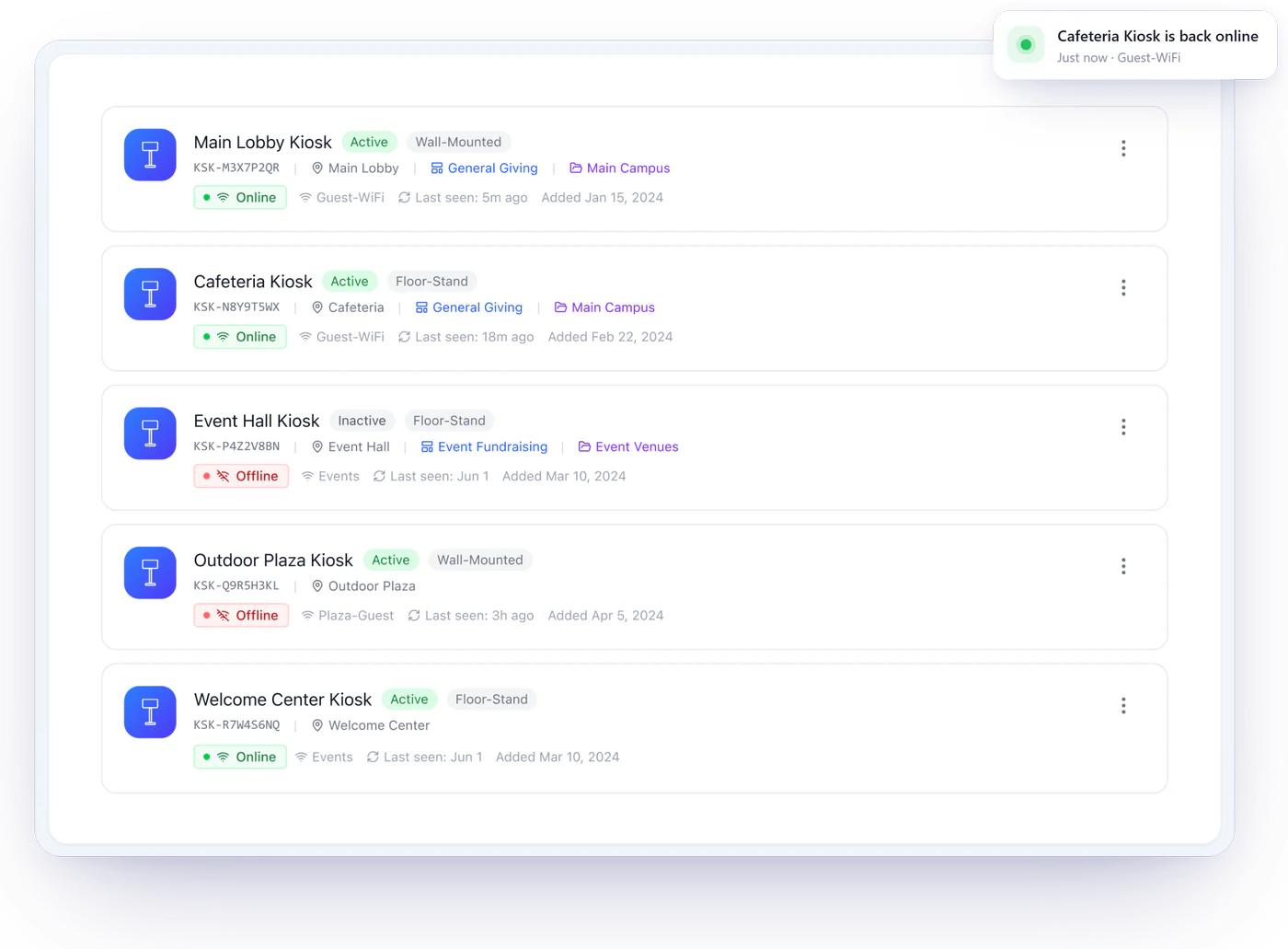
Every kiosk, in view
See every kiosk in the Admin Portal. Check device status and recent activity from one place, whether you run a single kiosk or devices across several locations, and change the campaigns each kiosk shows without touching the device.
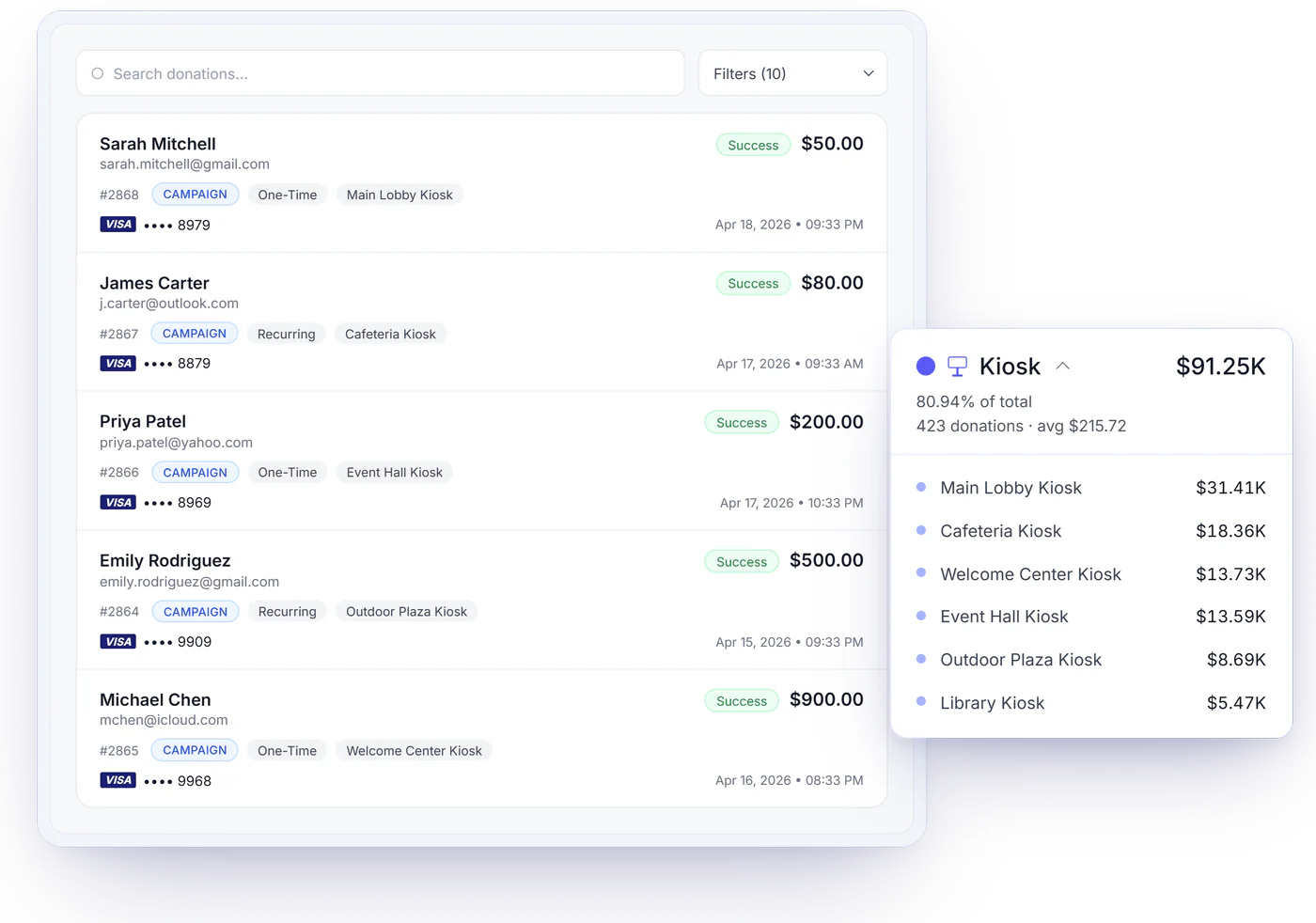
Every donation, clearly tracked
Every kiosk gift lands in the ledger tagged with its device, beside donations from your other channels. Monitor performance by campaign, review activity, and use consolidated reporting from one dashboard to see what is working. On Growth and Enterprise, the fleet dashboard adds device health, battery, and totals per device.
Where the FS-22 works best
Put a floor-standing kiosk where people naturally pause, on the route they already walk, with a clear line of approach. Because it rolls, you can move it when the room changes.
Lobbies
Set it at a natural pause point with a sight line from the entrance, out of the main traffic lane, so people can stop and give without blocking anyone.
Event halls
Roll it near the exits on event nights. Battery backup means you are not tied to outlet locations, and you can assign the evening's campaign from the Admin Portal, then switch it back the next morning.
Spaces you cannot mount on
Rented halls, leased lobbies, and walls you would rather not drill. The FS-22 stands on its own base. For a fixed spot where floor space is tight, choose the WM-22 wall-mounted kiosk.
Church foyers
On the path from the sanctuary doors to the parking lot, where people linger after the service. A floor unit is visible across an open room. See the church giving kiosk page.
Masjid lobbies
Where the lobby has room, set it upstream of the exit, not beside it, with space for a short line after Jumu'ah. See the mosque donation kiosk page.
Museum exhibit exits
Where visitors decide to give on the way out, with a campaign card for the exhibit they just saw. Move it when the exhibit changes. See the museum donation kiosk page.
Planning more than one device? In-person fundraising compares kiosks, handheld readers, and the Mobile App, and the placement playbook covers each room in more detail.
Experience the giving flow before you buy the hardware.
Four taps, full transparency, and the gift lands in your ledger while the receipt is on its way.
Recorded from the FS-22 giving flow beside the Admin Portal. Amounts shown are examples.
FS-22 at a glance
| Detail | FS-22 floor-standing kiosk $1,000 one-time |
|---|---|
| Hardware | |
| Format | Floor-standing, on a smooth-rolling base |
| Screen | 22-inch touchscreen |
| Payments | Built-in tap and chip card reader for credit cards, debit cards, and digital wallets |
| Power | Battery backup for up to 8 hours |
| Connectivity | Your building's Wi-Fi |
| Giving | |
| Gifts | One-time and recurring |
| Amounts | Fixed, donor-chosen, or unit-based |
| Checkout | Optional donor fee coverage and an automatic receipt |
| Purchase | |
| Ownership | A one-time purchase your organization owns |
| Warranty | Donatefy's one-year warranty, with a 45-day money-back pilot |
| Plan | Activates on Starter and above |
FS-22 floor-standing kiosk questions
Comparing formats? Read the donation kiosk buyer's guide.
How much does the FS-22 cost?
Is the FS-22 a contactless donation kiosk?
Is the FS-22 portable?
How do donations from the kiosk reach our books?
Can donors start a monthly gift at the FS-22?
What happens if the kiosk loses power?
Should we choose the FS-22 or the wall-mounted WM-22?
Put a giving station where your community gathers.
Talk to the hardware team about placement, campaigns, and rollout for your spaces.