
Collect donations anywhere.
Manage everything in one place.
Donatefy is fundraising software for online and in-person giving. Create a campaign once, then collect online, at kiosks, and in the field, with one ledger, one donor record, and automatic receipts.

Organizations collecting with Donatefy
















Online, kiosk, handheld, and Mobile App giving on one platform
Donatefy brings together the hardware and software that power online, in-person, and on-the-go giving for nonprofits, faith communities, museums, and food banks, all on one platform.
Floor-standing kiosk
Self-service, standalone giving.
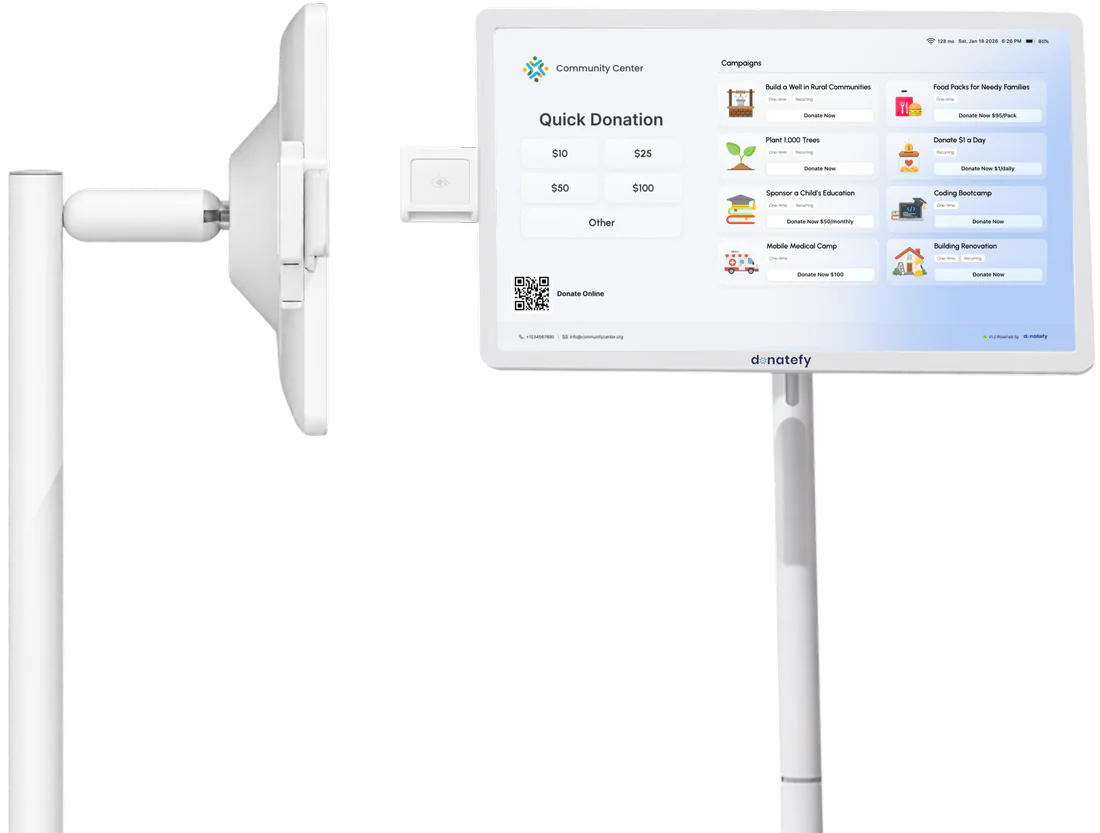
Wall-mounted kiosk
Space-saving, always-on giving.
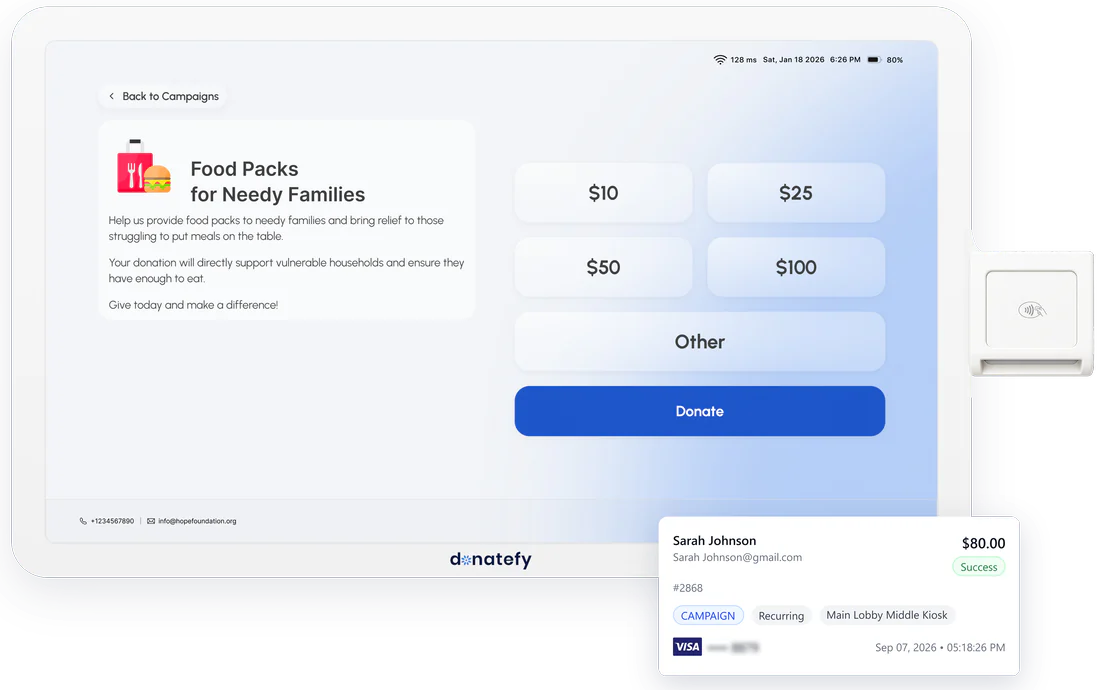
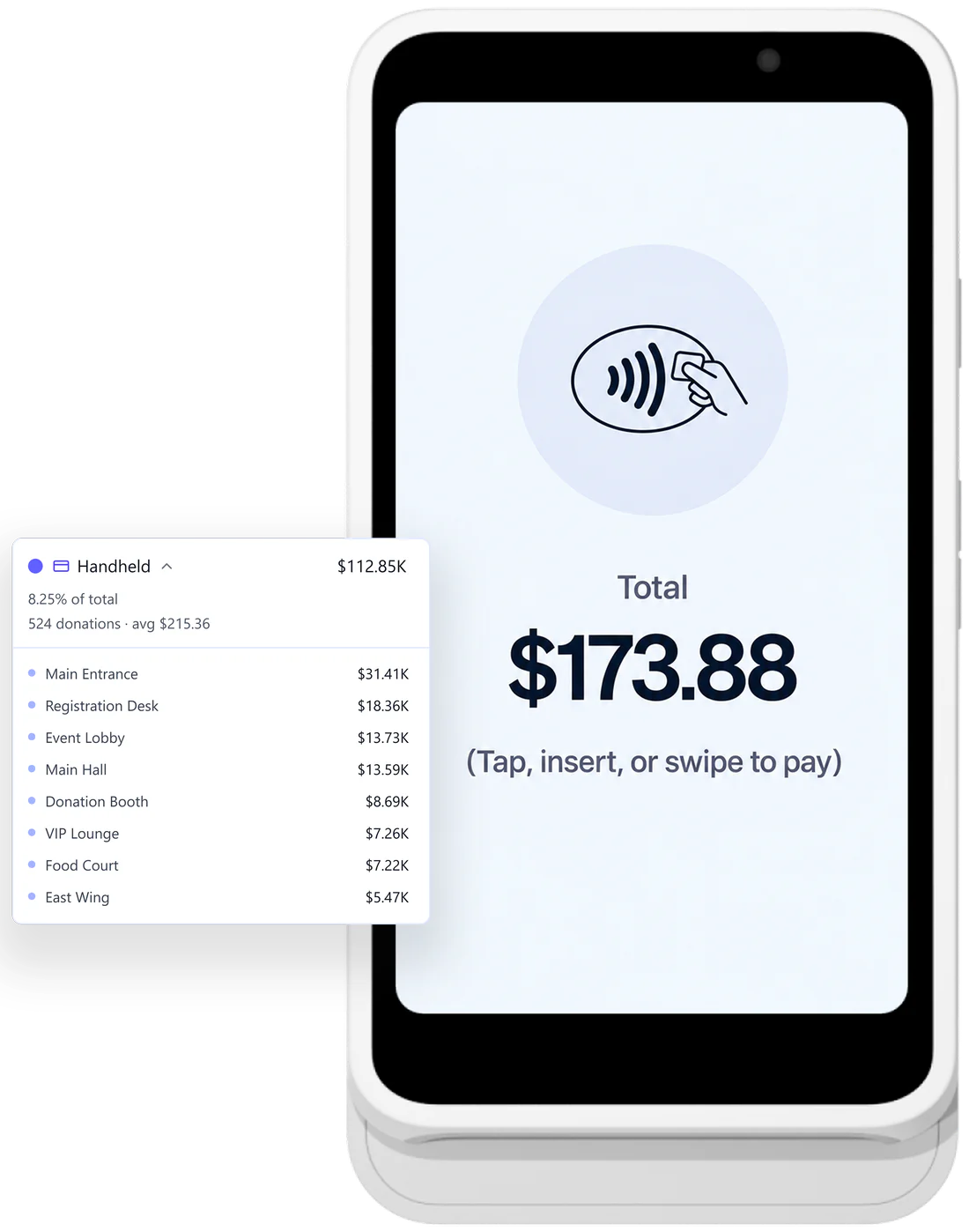
Stripe Reader S700/S710
Made by Stripe, provisioned by Donatefy.
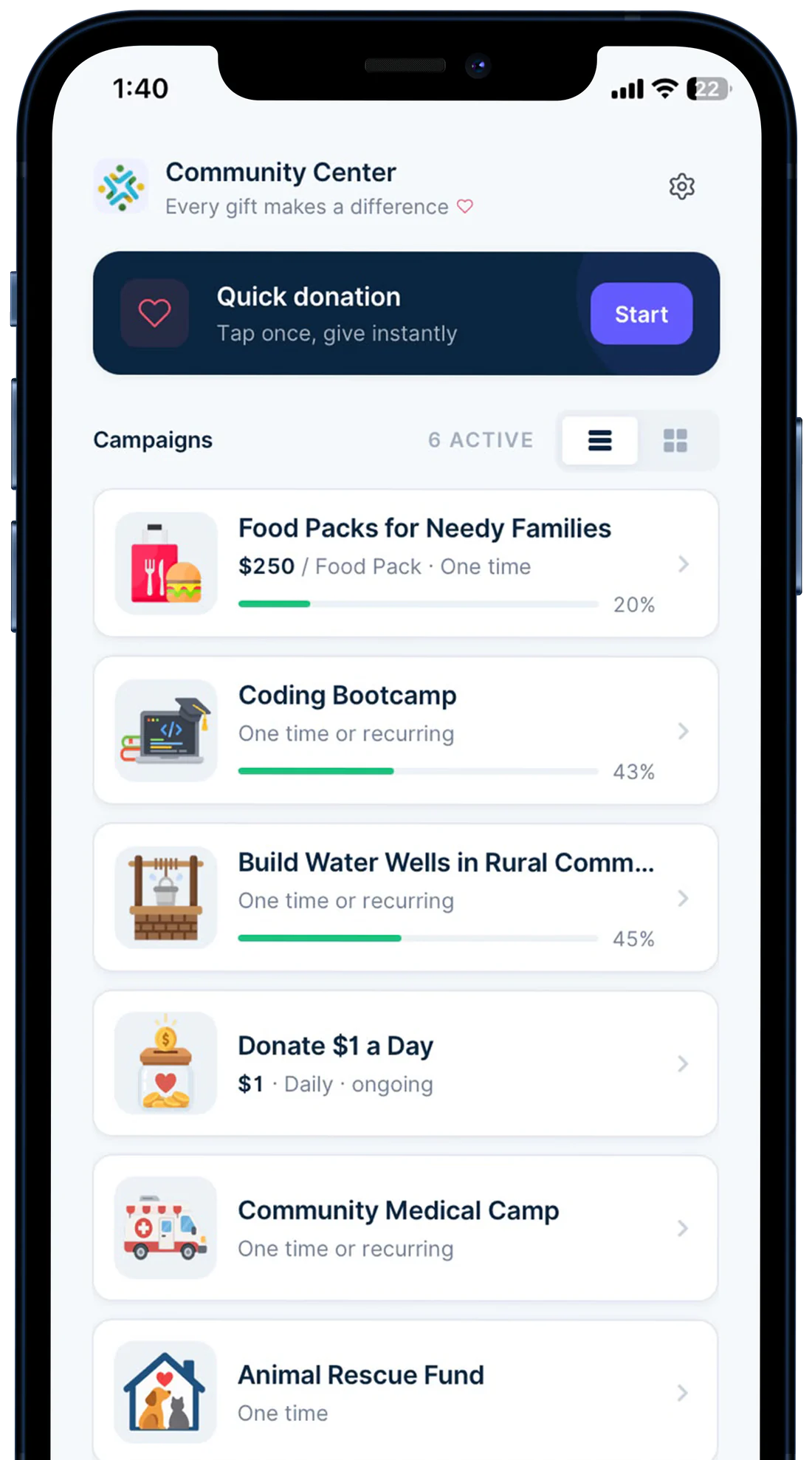
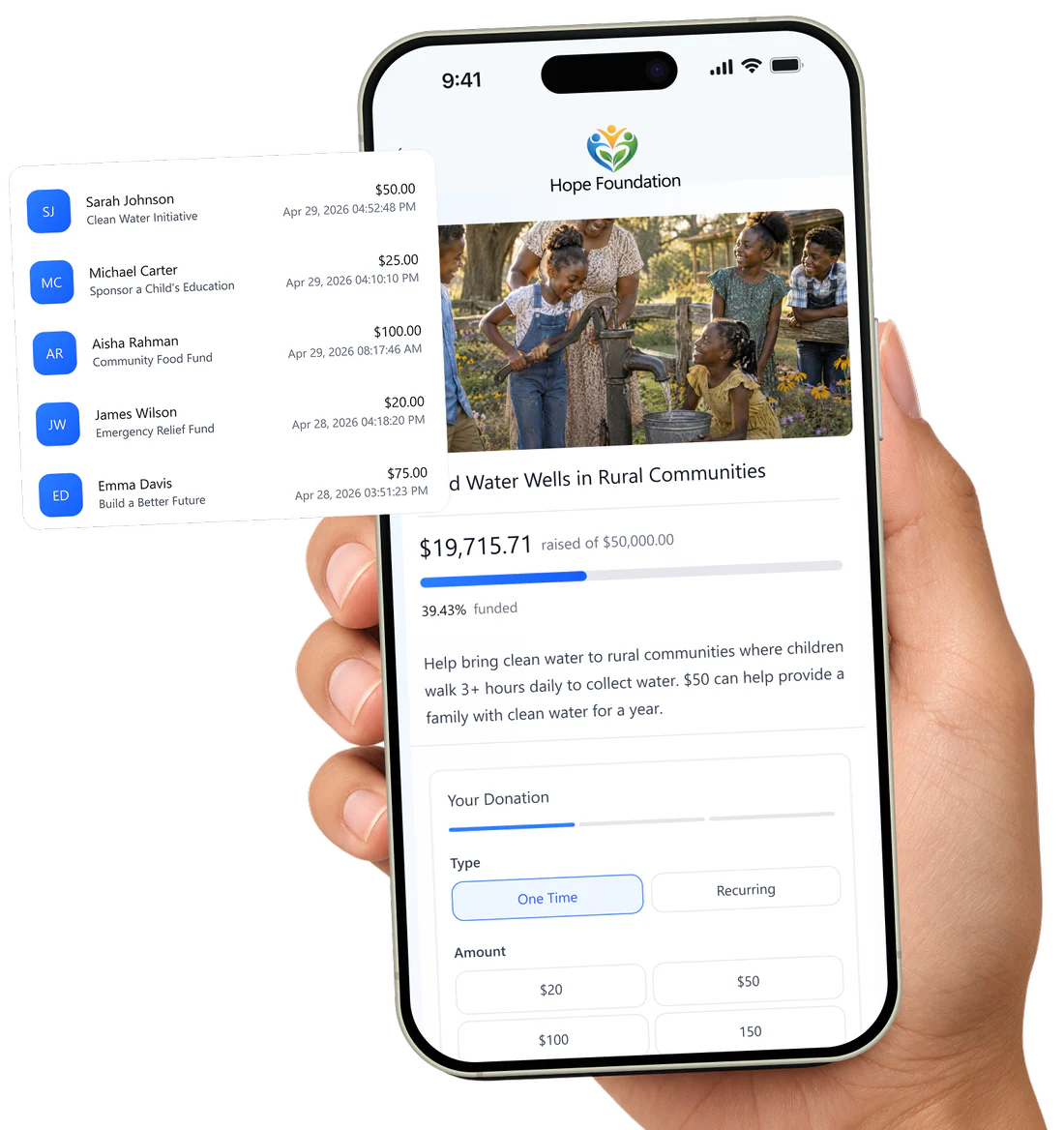
Mobile App
Turn any compatible phone into a giving terminal.
E-Fundraiser
Campaign pages built to convert.
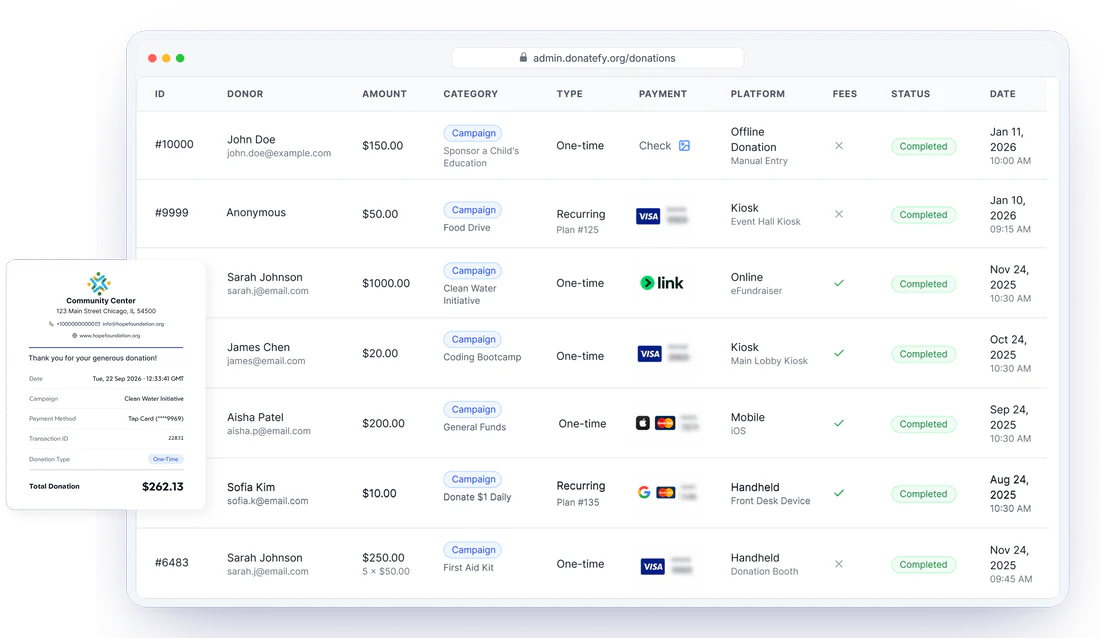
Admin Portal
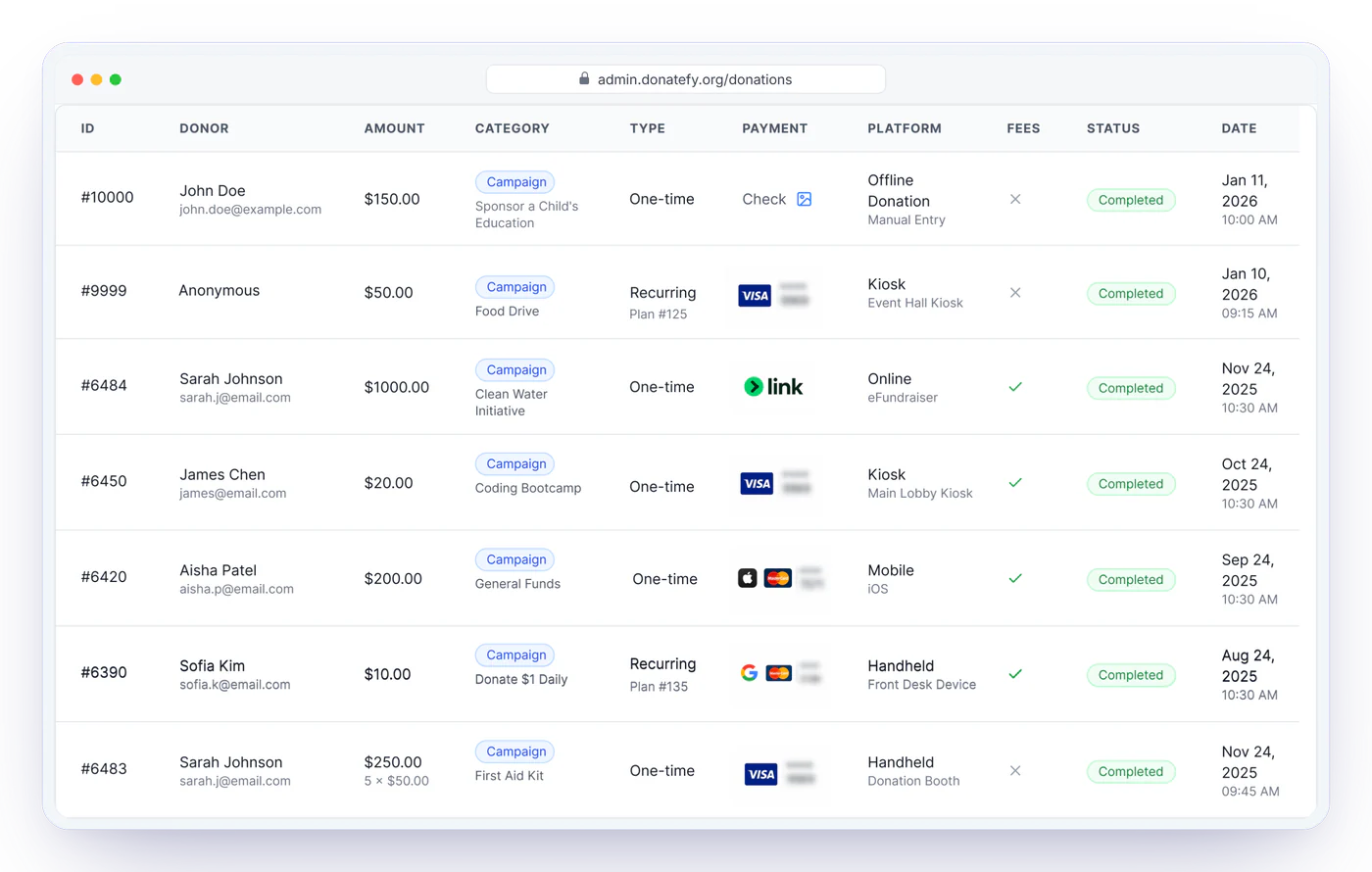
A unified view of every donation, from every channel.
Create once. Collect everywhere. Manage in one place.
One campaign flows to every donor touchpoint, and every gift flows back to one ledger. Watch it move.
Name, story, imagery, suggested amounts, one-time and recurring options, donor fields, receipt settings, fee coverage, and the accounting coding that will follow every gift into your books.
Explore the Campaign BuilderGiving site, standalone page, kiosks, handheld readers, and Mobile App teams. Distribution is an assignment, not a copy-paste job.
See the full workflowCards and digital wallets with express checkout online, a tap of a card or phone in person. One-time or monthly, with the option to cover fees so more of the gift reaches your mission.
Explore the giving experienceEach donation arrives with its donor, campaign, channel, and device. Review, refund, receipt, report, and sync to your accounting system from a single portal.
Explore admin and reporting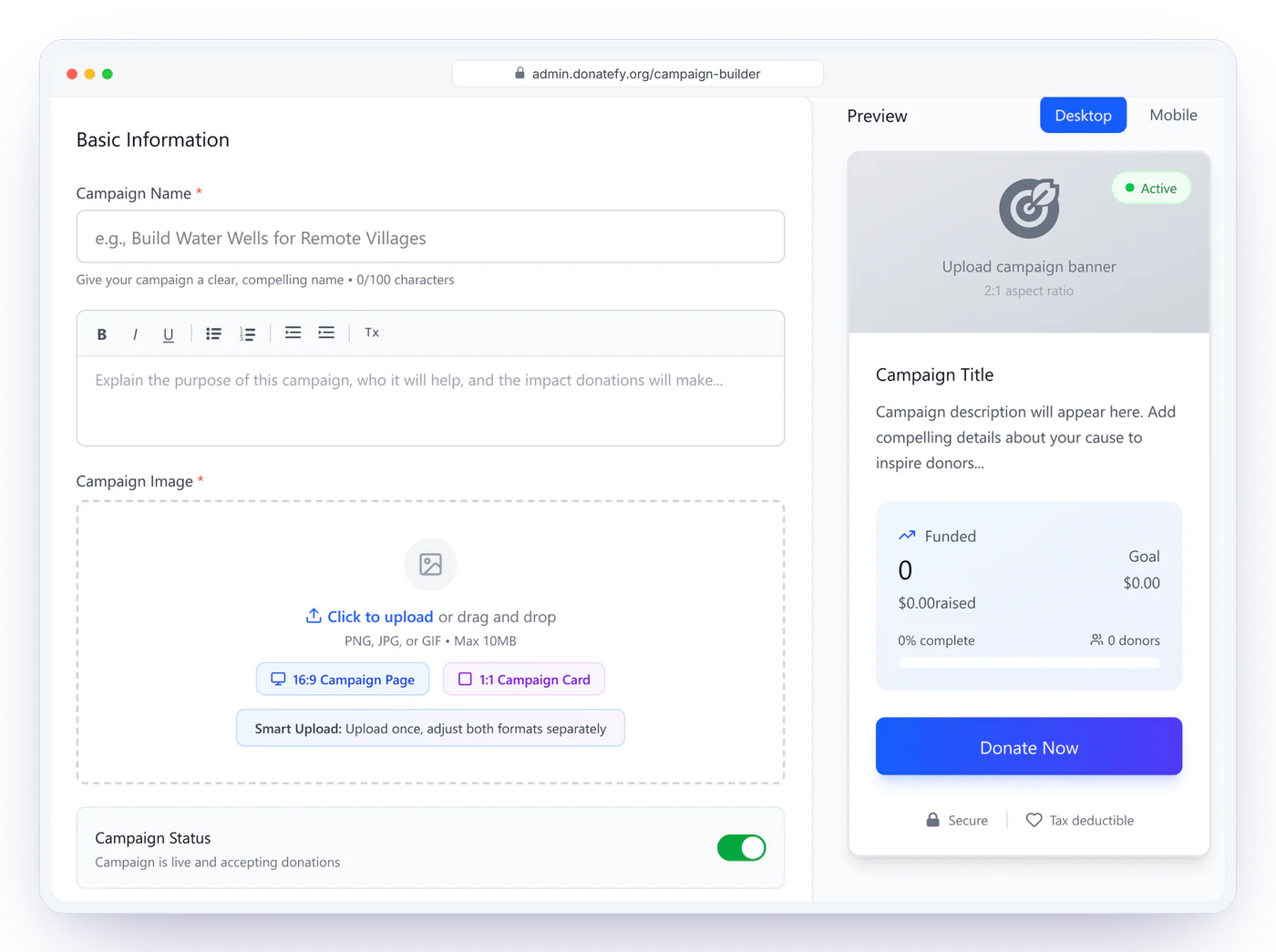
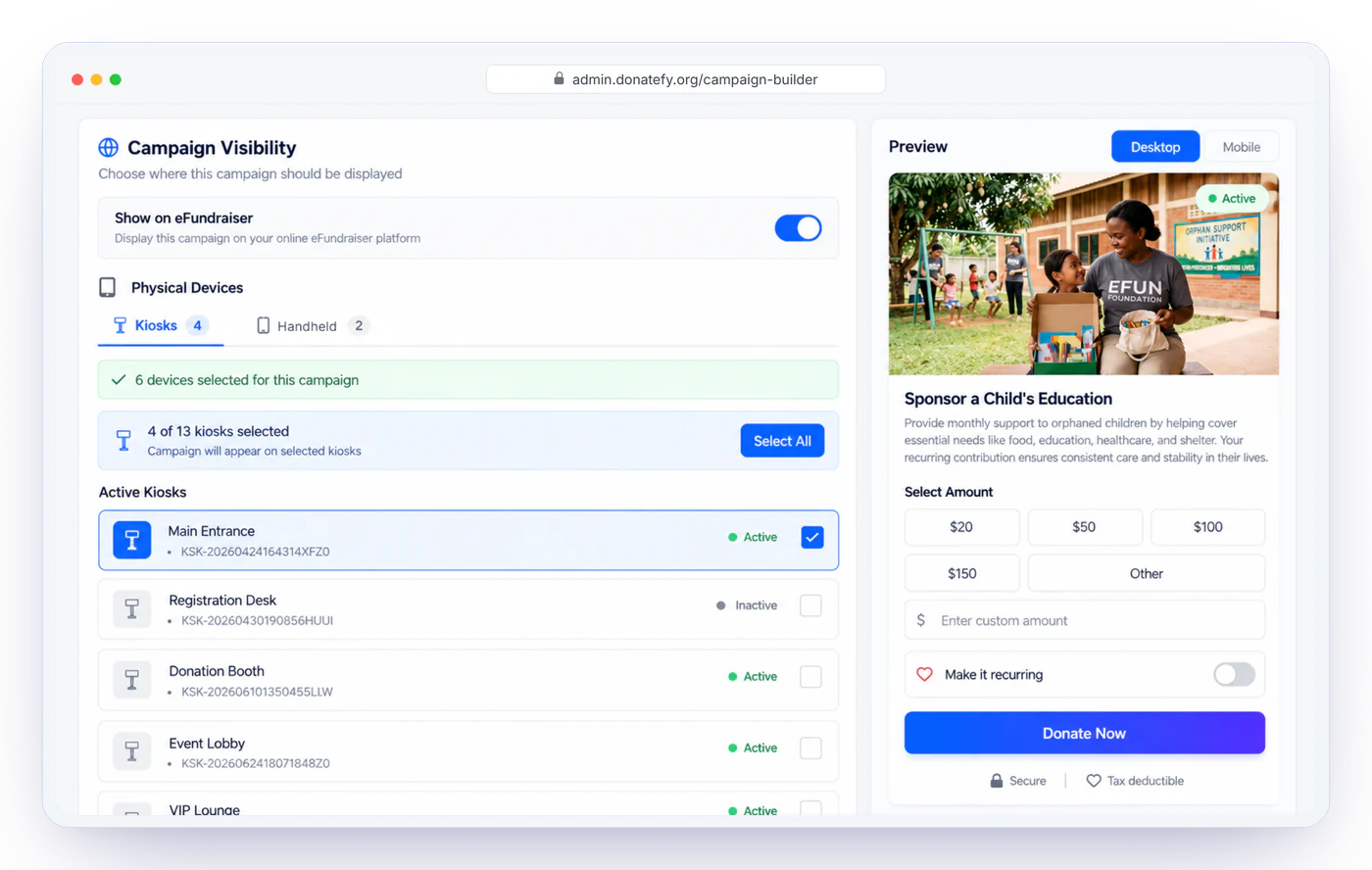
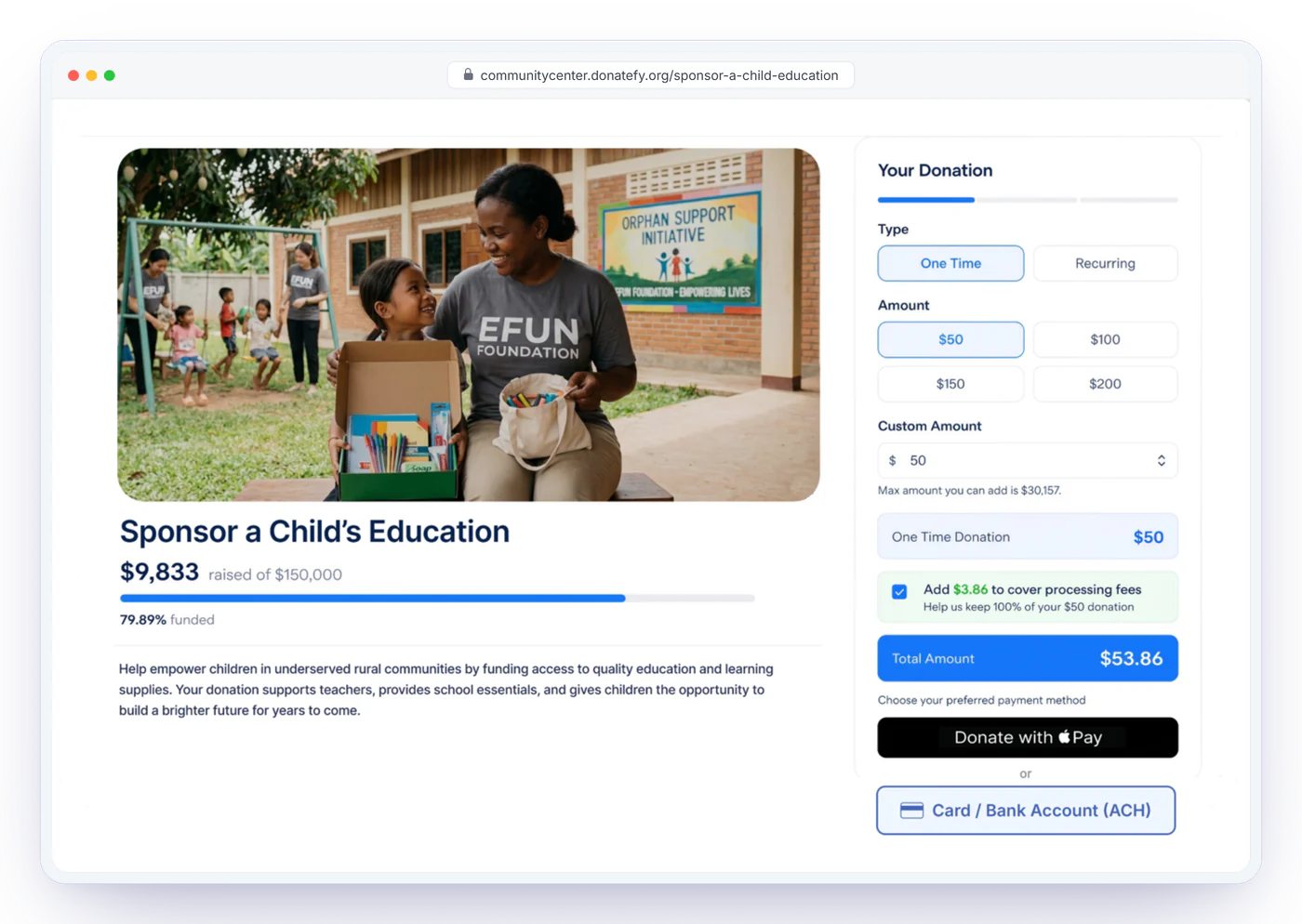
Every way donors pay, one checkout










The moment someone decides to give, be there.
Generosity is a moment, not a campaign. It happens in a lobby after a talk, at a table between courses, on a phone at 11pm. Donatefy is already there, and the gift takes one tap.
See hardware pricingPlans: Free $0, Starter $49/mo, Growth $149/mo, Enterprise with custom pricing. Hardware you own: FS-22 floor-standing kiosk $1,000, WM-22 wall-mounted kiosk $700, Stripe Reader S700 or S710 $349 provisioned.
Donors get receipts, history, and control
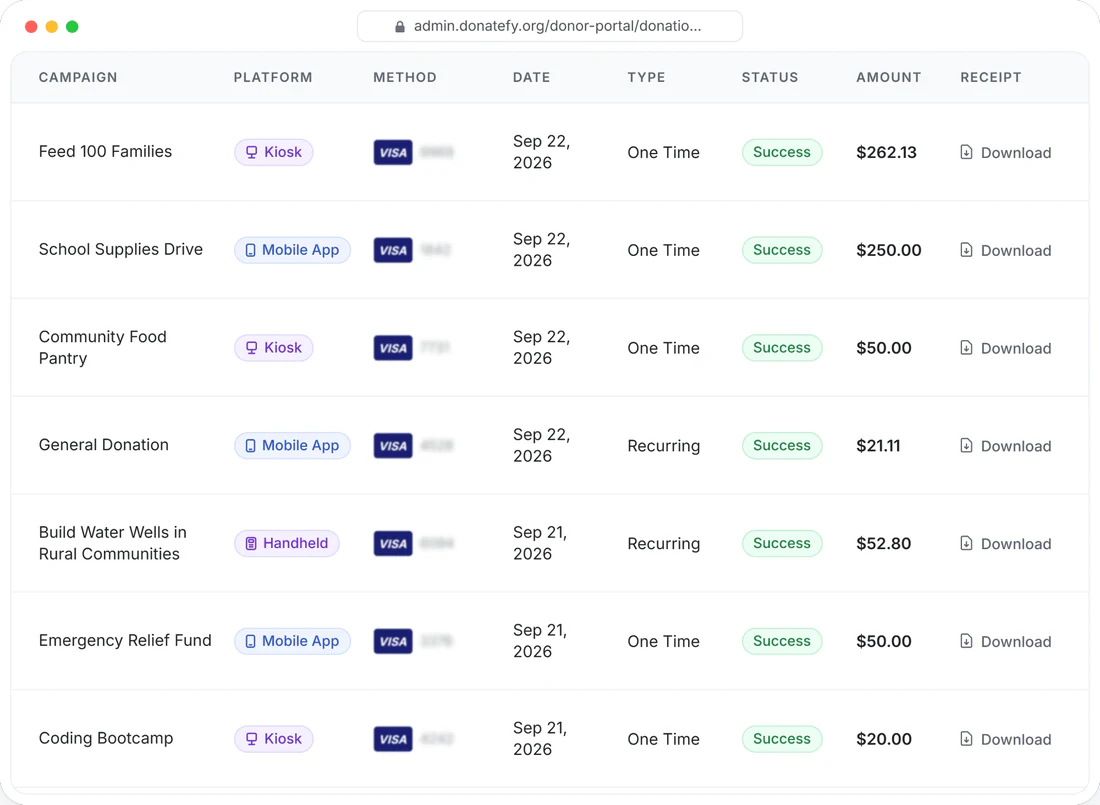
Every gift triggers a branded, tax-ready email receipt with your logo and EIN. In the Donor Portal, supporters review their giving history, download receipts and year-end summaries, and manage their own recurring plans, which means fewer support requests for your staff.
Donations settle directly into your organization's own Stripe account.
Never pooled, never held, never remitted later. Gifts land on your payout schedule, and every platform fee is visible in your own dashboard.
You own the rails
Your Stripe account, your payout schedule, your donor payment relationships.
Nothing hidden
Fees are line items you can see, not deductions you discover at month-end.
No hostage data
If you ever leave, your payment account and recurring relationships stay yours.
Donatefy kiosks are deployed in 12 states
From California to New York, communities give at Donatefy kiosks in their lobbies, foyers, and halls. Every kiosk gift lands in the same ledger as online giving.
States with Donatefy kiosks
- California
- Florida
- Illinois
- Indiana
- Michigan
- Minnesota
- Nebraska
- New Jersey
- New York
- Ohio
- Pennsylvania
- Texas
Connected to QuickBooks, Blackbaud, Bloomerang, and Salesforce
Donations sync to your accounting and donor systems with per-donation status you can check, so nobody re-keys a gift at month-end.
Fundraising software questions organizations ask first
Where does the money go when someone donates?
Can donors cover the fees?
What hardware do we need to start?
How do receipts and year-end statements work?
Multiple fundraising channels. One connected system.
A 30-minute walkthrough with your campaigns, your channels, and your questions.